
Navigation system controller J401: Removing and installing
- Make
- SEAT
- Model
- Exeo
- Year
- 2008–2013
- Section
- Radio, Telephone, Navigation › Navigation system controller J401: Removing and installing
Navigation system controller J401: Removing and installing
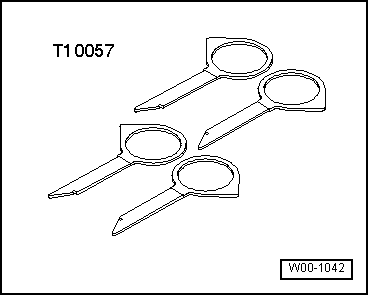
- Radio release tool T10057
When renewing control unit, select „Replacement“ function for appropriate control unit in „Guided Fault Finding“.
Switch off all electrical components.
Remove the ignition key.
Insert radio release tools T10057 (arrows) into slots on navigation operating electronics control unit J402 until they engage. The handle ring tips point outwards.
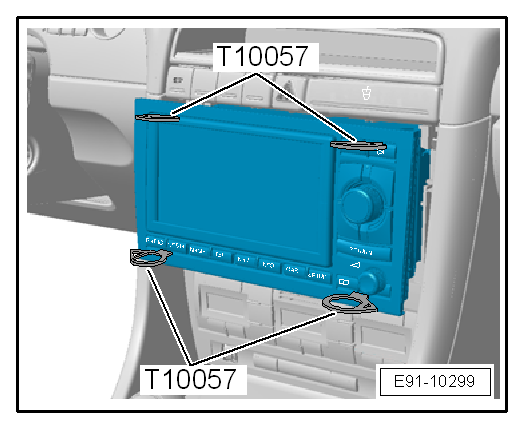
Pull navigation operating electronics control unit J401 out of dash panel.
Release and unplug electrical connectors at navigation operating electronics control unit J401.
Press release tabs on navigation operating electronics control unit J401 and remove radio release tool T10057.
Plug in all connectors.
Slide operating electronics control unit for navigation J401 carefully into dash panel and engage it in mounting frame.
Parts & tools for this job For 2008 SEAT Exeo
- TOOLTorque wrenchSearch: 3/8 inch torque wrench
- TOOLSocket setSearch: socket set metric
- BOOKHaynes manualSearch: Haynes manual SEAT Exeo
As an Amazon Associate we earn from qualifying purchases.