
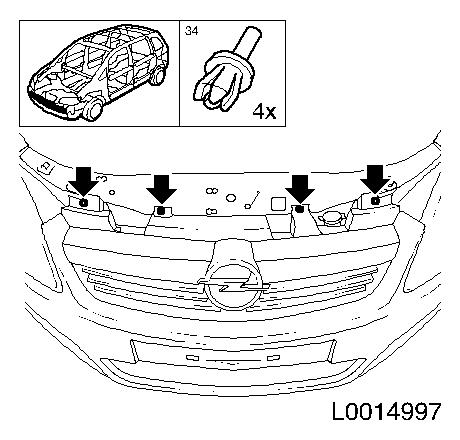
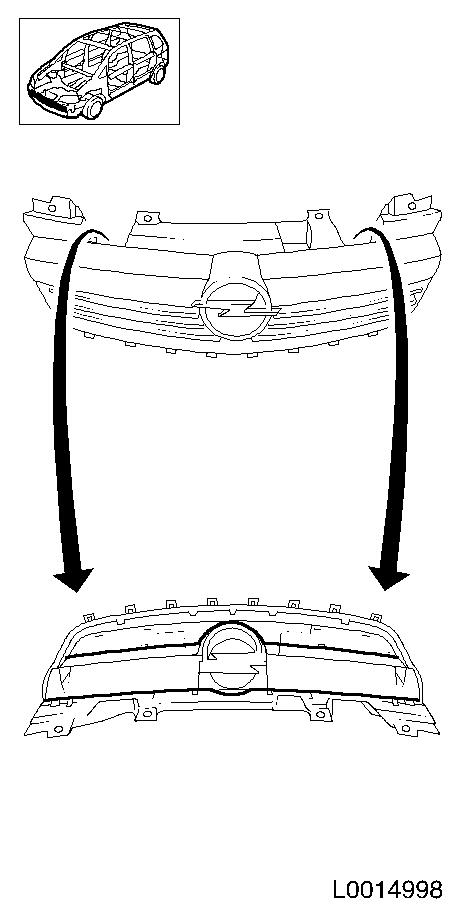
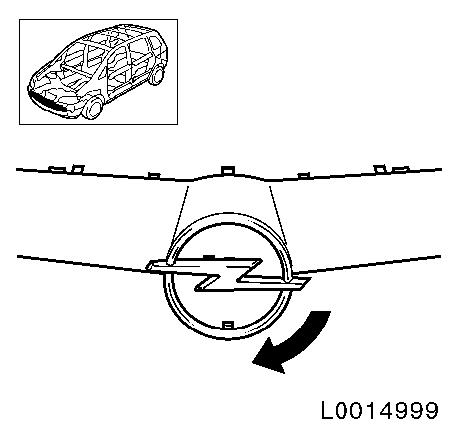
Replace company emblem
- Make
- Vauxhall
- Model
- Astra H
- Section
- Trim Strips, Lettering, Coverings › Repair Instructions › Replace company emblem
‹ Prev Install Parkpilot sensor in protective trim strip (model L 08)Next › Replace protective trim strip for door (front door) - L67
Body EquipmentReplace company emblem
|
Replace company emblem
|
||||||||||||||||||||||||||||||||||||||


‹ Prev Install Parkpilot sensor in protective trim strip (model L 08)Next › Replace protective trim strip for door (front door) - L67
Parts & tools for this job For Vauxhall Astra
- TOOLTrim removal tool kitSearch: trim removal tool kit
- PARTTouch-up paintSearch: Vauxhall touch up paint
- PARTPanel clip assortmentSearch: Vauxhall panel clips assortment
Links open Amazon search results in a new tab. As an Amazon Associate I earn from qualifying purchases.