
Adjusting the front pins and hooks
- Make
- Alfa Romeo
- Model
- GTV / Spider GTV and Spider (916) Factory Service Manual
- Year
- 1995–2000
- Section
- Hood › Adjusting the front pins and hooks
70 BodyworkAdjusting the front pins and hooks
ADJUSTING THE FRONT PINS AND HOOKS
Before proceeding make sure that the side alignment between the hood and wind-screen pillars is correct. If not, proceed as described in Refitting.
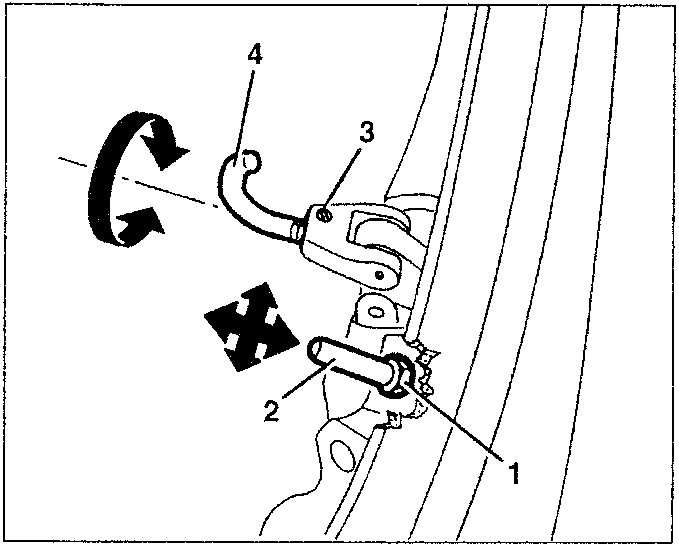
- Slacken the locknut.
- Change the position of the centering pin. Re-tighten the nut.
- Slacken the stop screw.
- Screw or loosen the hook changing its extension. Re-tighten the screw.
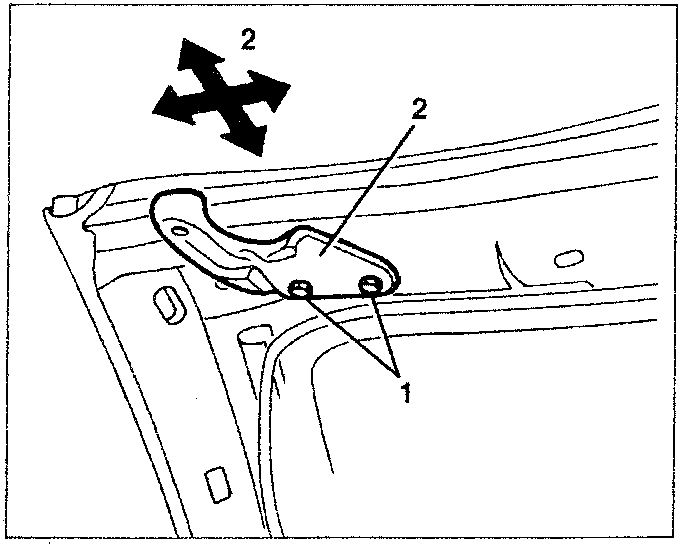
If necessary, to improve coupling between the pins and front hooks and the connection brackets on the windscreen crossmember, and to maintain the alignment between hood and windscreen, proceed as follows.
- Remove the upper windscreen trim (see specific paragraph).
- Loosen the two screws fastening each hood connection bracket.
- Change the position of the bracket. Re-tighten the screws.
ADJUSTING THE REAR PINS
Before proceeding make sure that hood compartment cover is in the correct position and check alignment with the body and with the doors. If necessary, adjust the position (see specific paragraph).
- With the hood closed, release it at the rear and raise it.
- If it is necessary to adjust the alignment between the pins and the holes on the hood cover, slacken the screws and change the crosswise position of the pins. Re-tighten the screws.
- If adjustment of the pin extension is necessary, loosen the locknut and tighten or or loosen the pin. Re-tighten the locknut.
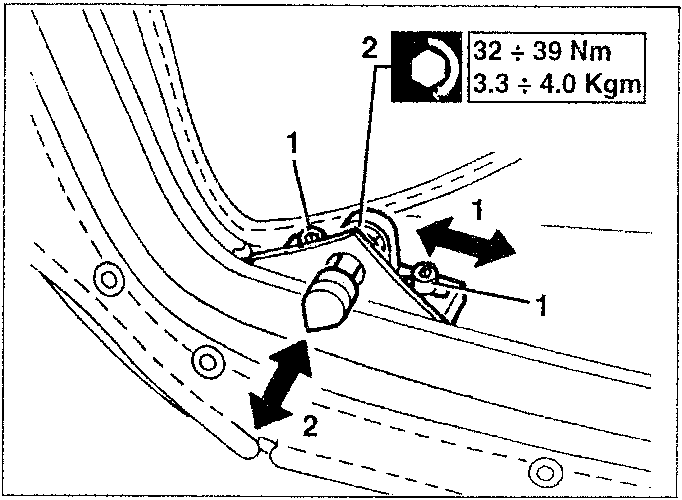
32 ÷ 39 Nm
3.3 ÷ 4.0 Kgm
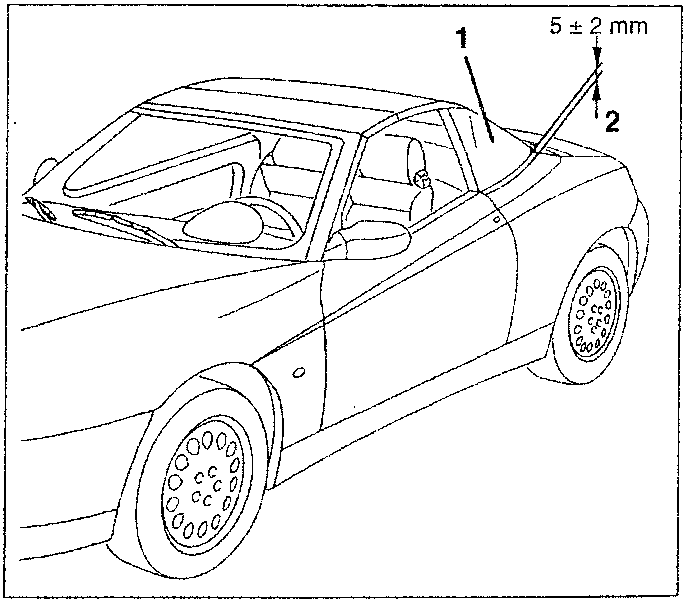
Check the correct adjustment of the rear pins proceeding as follows.
- Close the rear of the hood on the hood cover.
- Check the correct squeezing of the hood seal on the cover. The distance between the rear hood arc and the cover, in the area shown, must be 5 ± 2 mm.
Parts & tools for this job For 1995 Alfa Romeo GTV / Spider
- TOOLTorque wrenchSearch: 3/8 inch torque wrench
- TOOLSocket setSearch: socket set metric
- BOOKHaynes manualSearch: Haynes manual Alfa Romeo GTV / Spider
Links open Amazon search results in a new tab. As an Amazon Associate I earn from qualifying purchases.