
Installation
- Make
- Aston Martin
- Model
- DB9 Factory Workshop Manual
- Year
- Issue 2, 2005
- Section
- Cooling System › Installation
03 EngineInstallation
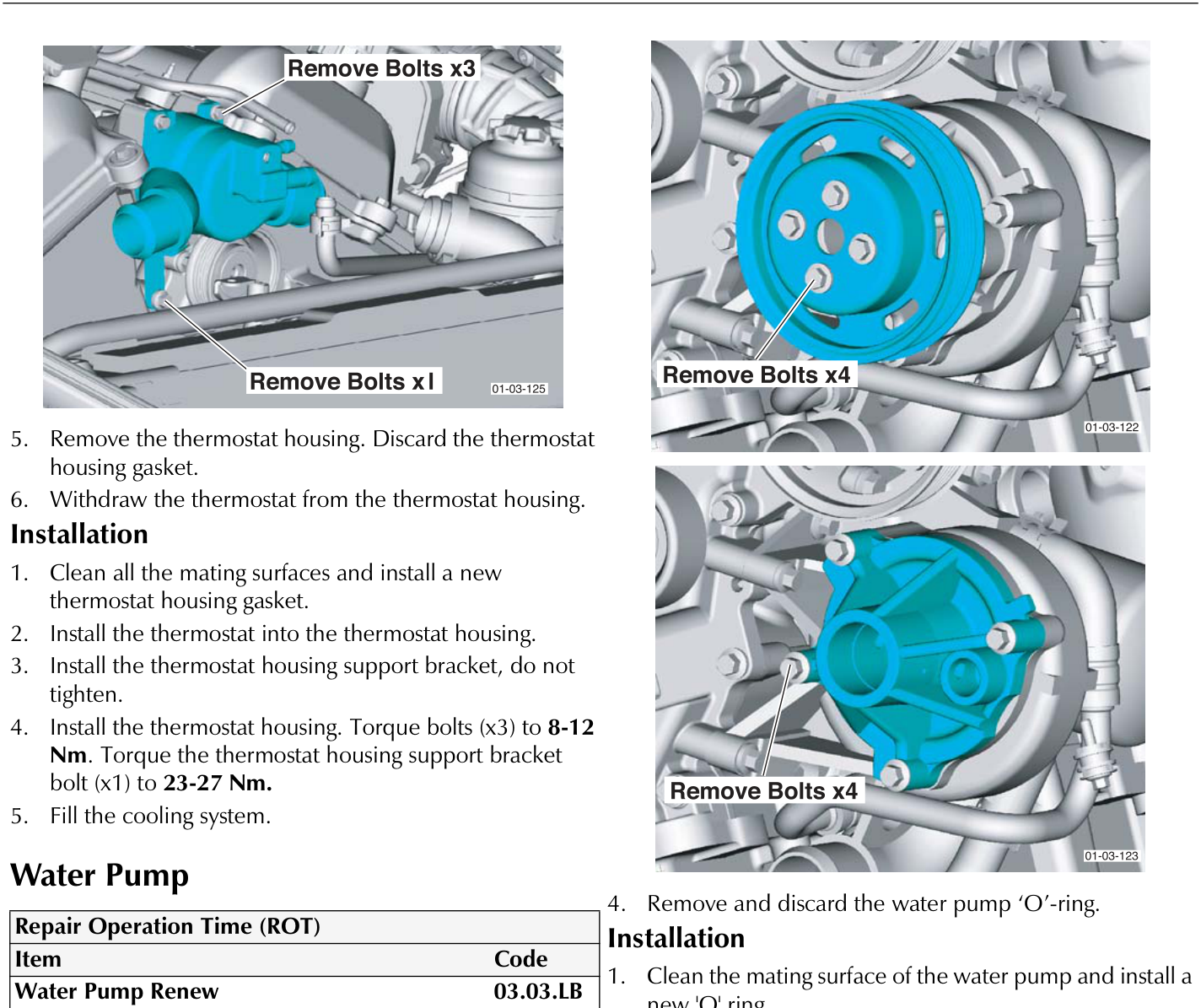
Installation
1. Clean all the mating surfaces and install a new thermostat housing gasket. 2. Install the thermostat into the thermostat housing. 3. Install the thermostat housing support bracket, do not tighten. 4. Install the thermostat housing. Torque bolts (x3) to 8-12 Nm. Torque the thermostat housing support bracket bolt (x1) to 23-27 Nm. 5. Fill the cooling system.Water Pump
| Repair Operation Time (ROT) | |
|---|---|
| Item | Code |
| Water Pump Renew | 03.03.LB |
Removal
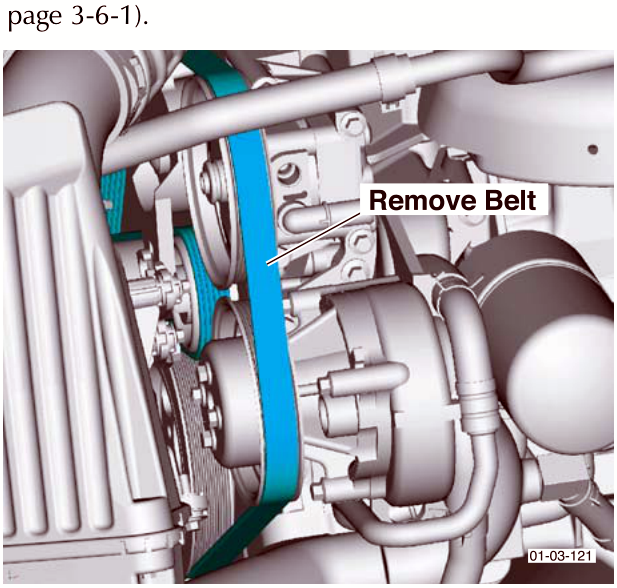
1. Drain the cooling system. 2. Remove the accessory drive belt (Refer to 'Drive Belt', page 3-6-1). 3. Remove the water pump. 4. Remove and discard the water pump 'O'-ring.Installation
1. Clean the mating surface of the water pump and install a new 'O' ring. 2. Place the water pump to the water pump body. Secure the water pump. Torque bolts (x4) to 23-27 Nm. 3. Secure the water pump pulley to the water pump. Torque bolts (x4) to 23-27 Nm. 4. Install the accessory drive belt (Refer to 'Drive Belt', page 3-6-1). 5. Fill the cooling system.Parts & tools for this job For 2005 Aston Martin DB9
- FLUIDCoolantSearch: Aston Martin coolant antifreeze
- PARTThermostatSearch: Aston Martin DB9 2005 thermostat
- TOOLCooling system pressure testerSearch: cooling system pressure tester
Links open Amazon search results in a new tab. As an Amazon Associate I earn from qualifying purchases.