
Low Pressure Warning
- Make
- Aston Martin
- Model
- DB9 Factory Workshop Manual
- Year
- Issue 2, 2005
- Section
- Road Wheels and Tyres › Low Pressure Warning
04 SuspensionLow Pressure Warning
Warning
The road wheels and tyres are asymmetrical and different sizes front and rear. They must not be rotated front to rear. This function should be used only to verify correct tyre position. Do not change the programmed data.
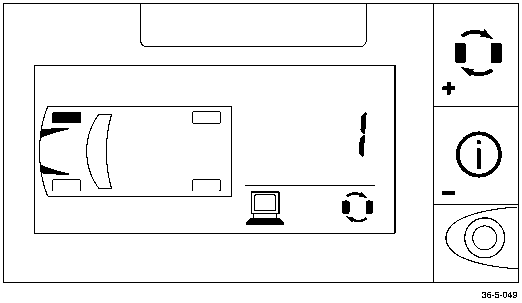
- Press ‘Set’ for 2 seconds to enter level 1 programming.
- Press ‘Mode’ repeatedly until ‘Tyre Rotation’ icon is displayed.
- Press ‘Tyre’ to scroll to a tyre position. Press ‘Mode’ to display the current sensor identity.
Each sensor is identified by the colour of a washer on the tyre valve. Tyres are always installed in fixed positions and must remain as follows:
- Right Front - Green (Code 1)
- Left Front - Red (Code 2)
- Right Rear - Blue (Code 3)
- Left Rear - Yellow (Code 4)
If the current data is incorrect, revise as follows:
- Ensure that the road wheels and tyres are installed in the correct locations (see the colour code list above). Note the correct code number for each road wheel.
- Use ‘Tyre’ or ‘Mode’ to correct the sensor identity code if required.
- Repeat for the remaining tyres.
- Press ‘Set’ twice to exit the programme.
Low Pressure Warning
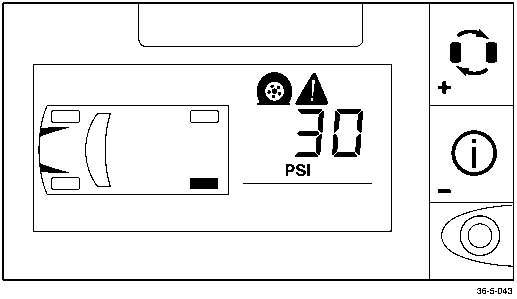
- Press ‘Set’ for 2 seconds to enter level 1 programming.
- Press ‘Mode’ repeatedly until ‘Flat Tyre’ icon is displayed.
- Press ‘Tyre’ to scroll to the desired axle. Press ‘Mode’ to display the current low pressure warning value.
- Press ‘Tyre’ to increase or ‘Mode’ to decrease current value.
- Press ‘Set’ to enter the new value into memory.
Pressure Deviation Alert
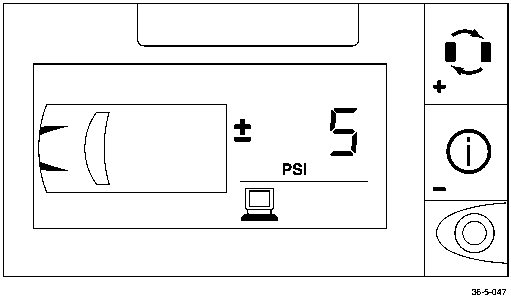
This function sets the threshold for warning of a deviation from normal tyre pressures.
- Press ‘Set’ for 2 seconds to enter level 1 programming.
- Press ‘Mode’ repeatedly until the ‘+–‘ icon is displayed.
- Press ‘Tyre’ to display the current value.
- Press ‘Tyre’ to increase or ‘Mode’ to decrease the current value
- Press ‘Set’ to save the amended value.
- Press ‘Set’ again to revert to normal operation.
High Temperature Alert
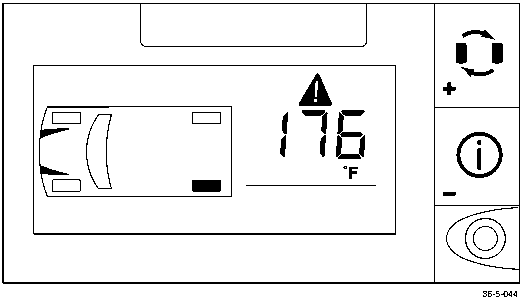
- Press ‘Set’ for 2 seconds to enter level 1 programming.
- Press ‘Mode’ until ‘alert’ icon is displayed.
- Press ‘Tyre’ to display the current value of the high temperature alert.
- Press ‘Tyre’ to increase or ‘Mode’ to decrease current value
- Press ‘Set’ to save the amended value.
- Press ‘Set’ again to return to normal mode.
Units Selection
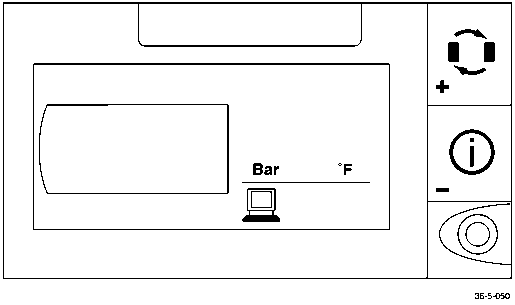
Use this function to select the combination of units for pressure and temperature.
- Press ‘Set’ for 2 seconds to enter level 1 programming.
Parts & tools for this job For 2005 Aston Martin DB9
- TOOLTyre pressure gaugeSearch: digital tyre pressure gauge
- TOOLTorque wrenchSearch: 1/2 inch torque wrench
- TOOLBreaker barSearch: breaker bar
Links open Amazon search results in a new tab. As an Amazon Associate I earn from qualifying purchases.