
Selecting display modes
- Make
- Fiat
- Model
- Bravo /Brava (182) Factory Service Manual
- Year
- 1995–2001
- Section
- Radio (98 range) › Selecting display modes
Selecting display modes
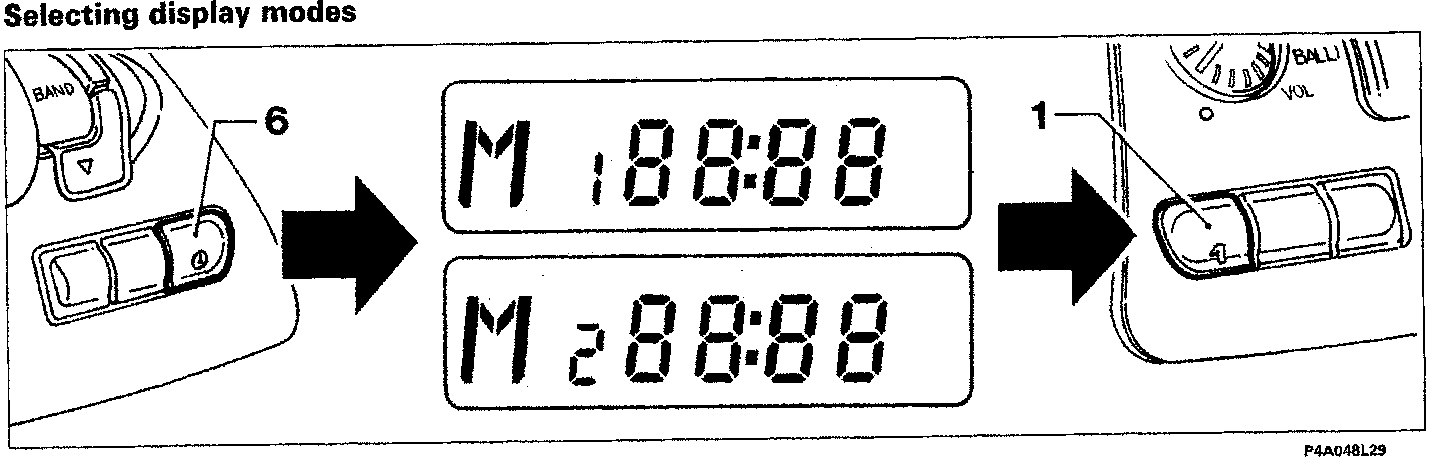
Proceed as follows:
- keep the button (6) pressed until the colon between the hours and minutes stops flashing, and the letters "M1" or "M2" appear depending on the selected display mode;
- press the (1) button to select the other display mode;
- briefly press the button (6) again to confirm the selection; the colon between the hours and minutes starts flashing again and the letters "M1" or "M2" disappear.
Setting correct time
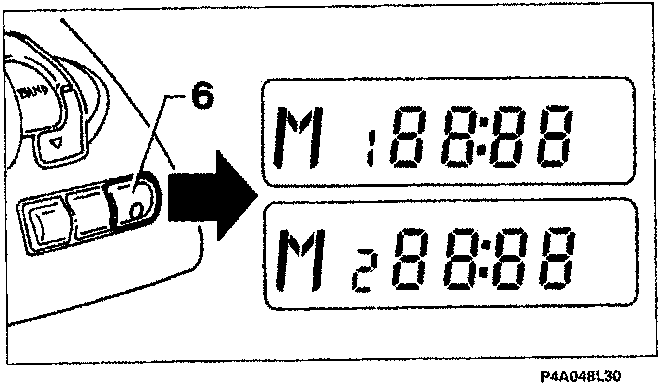
Keep the button (6) pressed until the colon between the hours and minutes stops flashing and the letters "M1" or "M2" appear depending on the selected display mode;
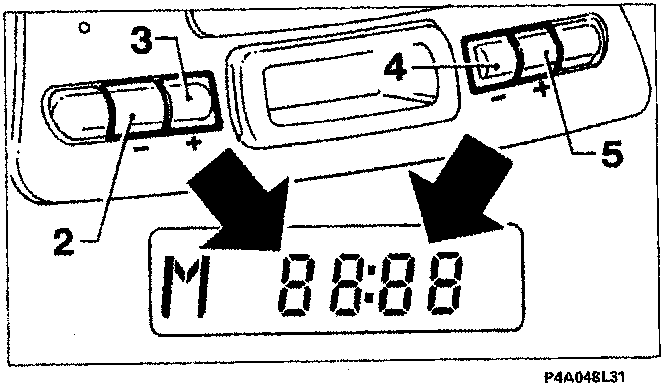
Adjust the hours and minutes on the display as follows:
- to decrease the hours press button (2);
- to increase the hours press button (3);
- to decrease the minutes press button (4);
- to increase the minutes press button (5).
If the buttons (2-3-4-5) are pressed briefly, the hours and minutes are increased/decreased by one unit. Press the buttons for longer to change the hours/minutes display quickly.
Once the correct time has been set, press the button (6) briefly again; this starts from 0 seconds so the clock can be set accurately. The colon between the hours and minutes starts flashing again and the letters "M1" or "M2" disappear.
Changing priority between display of time/frequency
Briefly press the button (6) to switch between the display of the clock and the messages relating to the radio function, for a duration of 10 seconds; after which the indication which has priority depending on the selected display mode with reappear automatically.
Parts & tools for this job For 1995 Fiat Bravo
- TOOLDigital multimeterSearch: automotive digital multimeter
- PARTAssorted fuse kitSearch: car fuse assortment kit
- TOOLWire crimper and connector kitSearch: wire crimper connector kit
Links open Amazon search results in a new tab. As an Amazon Associate I earn from qualifying purchases.