
Discovery II
CLUTCH - V8
REPAIRS 33-2-13
REPAIRS
Clutch assembly
$% 33.10.01
Remove
1. Remove gearbox assembly.
2. Restrain flywheel.
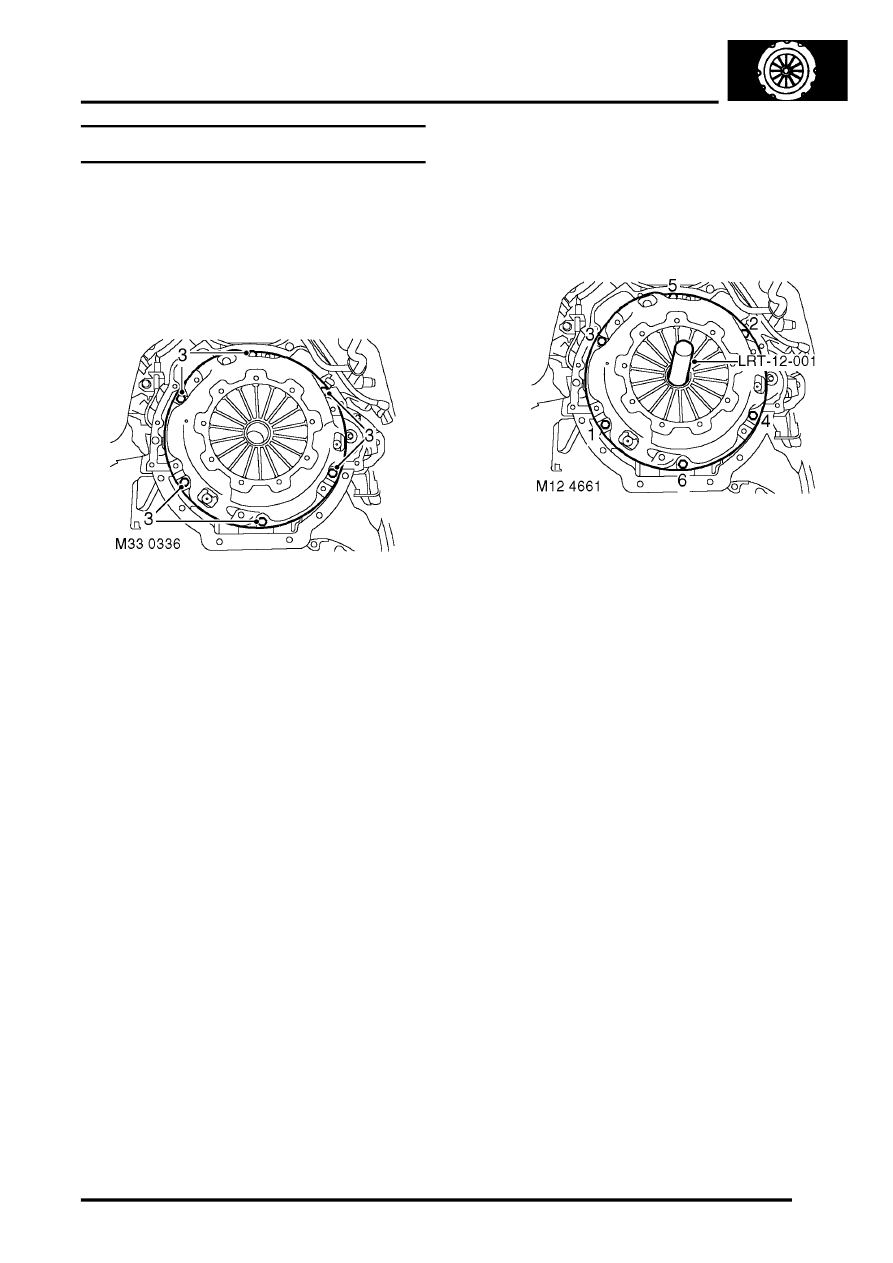
3. Working in diagonal sequence, progressively
loosen 6 bolts securing clutch cover to flywheel.
Remove bolts.
4. Remove clutch cover.
5. Remove clutch plate.
6. Renew all worn or damaged components.
Refit
1. Clean clutch cover and flywheel mating faces
and spigot bush in end of crankshaft.
2. Fit LRT-12-001 to spigot bearing in crankshaft.
3. Fit clutch plate onto LRT-12-001, ensure side
marked 'flywheel side' is against flywheel.
4. Fit clutch cover and locate on dowels.
5. Fit clutch cover bolts and progressively tighten,
in diagonal sequence shown, to 40 Nm. (30
lbf.ft).
6. Fit gearbox assembly.