
Altering expert settings
- Make
- Fiat
- Model
- Bravo /Brava (182) Factory Service Manual
- Year
- 1995–2001
- Section
- Radio system (99 range) › Altering expert settings
ALTERING EXPERT SETTINGS
Turning on EXPERT
Depress the EXP key for 2 seconds until «EXPERT» appears on the display.
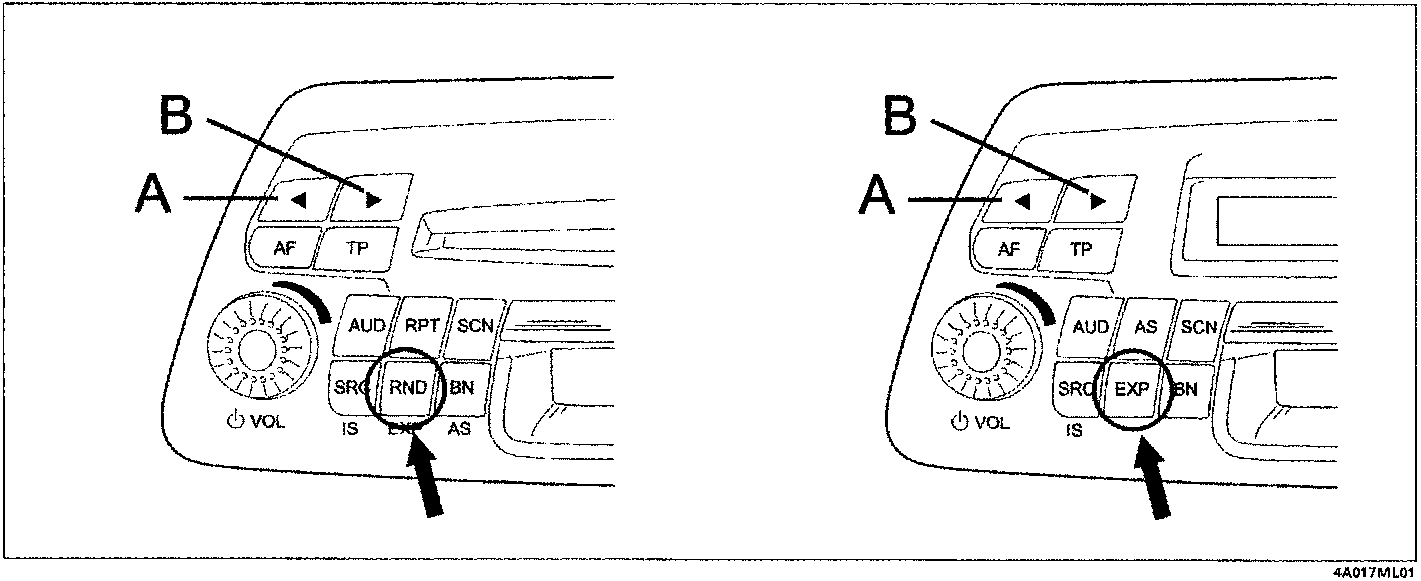
Choosing options
Select the settings to be checked or altered using keys A or B.
Example: Setting maximum volume upon start-up. (N.3): use keys A or B to select the required option (e.g. ONVOL 13), the display shows «ONVOL 13». The selected station is played at the set speed.
Altering the setting
Turn the volume knob to set the required volume, the display shows "ONVOL 20", for example.
Turn the knob clockwise: increase the value; turn the knob anticlockwise: reduce the value.
Concluding the setting
Set the next function using keys A or B
Alternatively, press the EXP for 2 seconds until "EXIT" appears on the display. EXPERT mode is closed (except for the code and clock).
POSSIBLE SETTINGS
1 - set time
«TM 2:13» appears, for example.
Turn the volume knob to set hours and minutes:
- turn fast to adjust hours
- turn slow to adjust minutes
Give a short press to the EXP key to start the clock.
2 - activate/deactivate synchronisation of the clock with the time sent by some RDS stations
- turn volume knob clockwise: «SYNC ON»: the built-in clock goes forward (synchronisation) toward RDS information.
- turn the knb anticlockwise: »SYNC OFF».
Synchronisation may be deactivated in places where no RDS TIMER signal is received.
NOTE: The signal sent by the stations may often be incorrect.
Parts & tools for this job For 1995 Fiat Bravo
- TOOLDigital multimeterSearch: automotive digital multimeter
- PARTAssorted fuse kitSearch: car fuse assortment kit
- TOOLWire crimper and connector kitSearch: wire crimper connector kit
Links open Amazon search results in a new tab. As an Amazon Associate I earn from qualifying purchases.