
Steering Wheel Switches (Navigation system)
- Make
- Land Rover
- Model
- Freelander System Description and Operation (UK)
- Section
- Description and operation › Steering Wheel Switches
17 Use the system settings menu to set the navigation computer to local time and the required units of measure: a Press the Nav button. b Turn the RH rotary control to scroll through the displayed menu, highlight TIME and press the RH rotary control to select. Press the + or – multifunction button to adjust the time in 30 minute steps. Select the 24 hour clock and confirm by pressing the OK multifunction button. c If metric units of measure are required, go to step e. (the navigation computer defaults to metric units of measure). d If Imperial units of measure are required, turn the RH rotary control to scroll through the displayed menu, highlight MEASURING UNIT and press the RH rotary control to select. Turn the RH rotary control to highlight IMPERIAL and press the RH rotary control to select. e Press the Nav button to return to the destination menu. 18 Calibration is complete. The navigation system is ready for use.
NOTE: The accuracy of the system will automatically be fine tuned when a further journey is made, but this is not required as part of the calibration procedure.
NOTE: In European countries, the territory will have to be set the first time the navigation system is used, and the first time a destination in another country is selected. The first time the navigation system is used or a destination in another country is selected, a map is displayed with the default/current territory highlighted. To change the territory: Press the RH rotary control to display the territory list; turn the RH rotary control to scroll through the list and highlight the required territory; press the RH rotary control to confirm the selection.
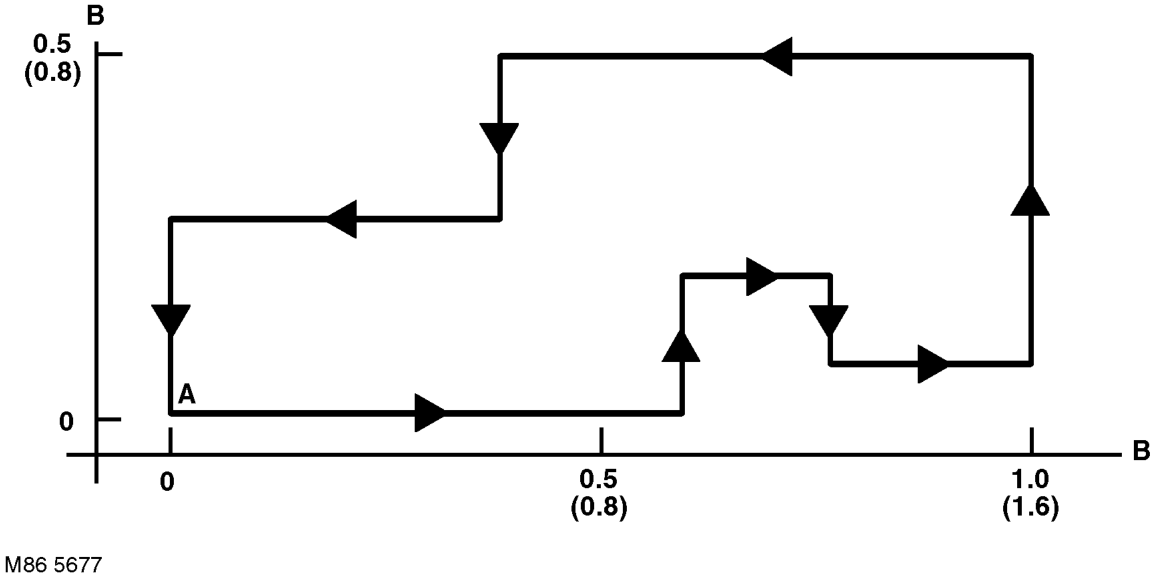
A = Start/Finish Point; B = Distance, miles (km)
Reset If the navigation system malfunctions, a system reset can be triggered by simultaneously pressing the TP button and multifunction button 1 or 3. The navigation CD will need to be installed after the system reset.
Steering Wheel Switches
The steering wheel switches provide remote control operation for some of the navigation computer functions. The switches can be used to select between the radio/CD/navigation modes, to adjust the volume (in all modes) and to select search/preset up/down for radio and CD operation.
Remote Control Interface Unit
The remote control interface unit converts the analogue signals from the steering wheel switches into digital signals for use by the navigation computer. The remote control interface unit is installed in a plastic bracket immediately in front of the gear selector lever.
The radio remote switches form a resistance ladder between two wires with the resistance across wires dependent on which switch is pressed. The remote control interface unit monitors the two wires and converts their input into Instrument (I) bus protocol messages, which it outputs on a dedicated serial link to the navigation computer.
Parts & tools for this job For Land Rover Freelander
- TOOLTie rod end toolSearch: tie rod end puller
- TOOLBall joint separatorSearch: ball joint separator
- FLUIDPower steering fluidSearch: Land Rover power steering fluid
Links open Amazon search results in a new tab. As an Amazon Associate I earn from qualifying purchases.