
Powering-Up the PDU
- Make
- Aston Martin
- Model
- DB7 Factory Workshop Manual Volume 2: Electrics, Body and Air Conditioning
- Year
- 1994–1998
- Section
- Installation instructions › Powering-Up the PDU
Diagnostic system (PDU)Powering-Up the PDU
Powering-Up the PDU
- Install the CD-ROM.
- Press the PDU power on switch (Fig 1-2). An audible tone will be hears and the green PDU power on indicator (Fig 1-6) will illuminate. The touch sensitive screen will also be activated. If this does not happen, see the problem solving section.
- Adjust the contrast control (Fig 1-4).
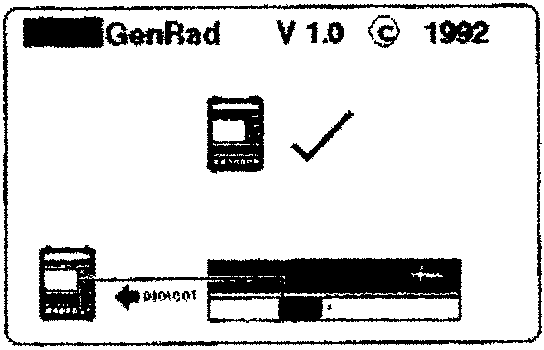
- When the PDU is switched on, it will perform an automatic self-check to test the internal components. On successful completion of the self-check, a PDU symbol will appear with a 'tick' next to it (Fig 10). The PDU will then display the language selection screen (Fig 11).
- Select the required language and confirm the selection (Fig 11).
Note: PDU text is available in English, French, Italian, German and Japanese.
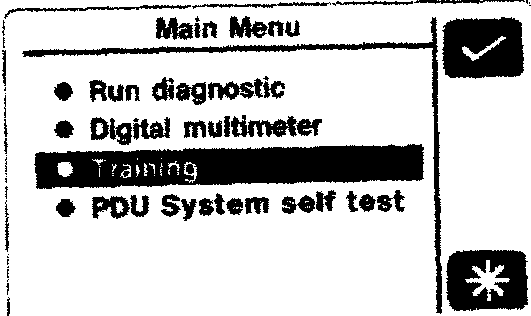
- The PDU will then load its software from the CD-ROM and display the 'main menu' (Fig 12).
- New users may select 'Training' and press the 'tick' icon to enter the on-screen PDU training programme.
Parts & tools for this job For 1994 Aston Martin DB7
- TOOLOBD2 scannerSearch: OBD2 scanner
- TOOLDigital multimeterSearch: automotive digital multimeter
- TOOLBack-probe test leadsSearch: back probe test leads
Links open Amazon search results in a new tab. As an Amazon Associate I earn from qualifying purchases.