
Step 11
- Make
- Aston Martin
- Model
- DB7 Factory Workshop Manual Volume 2: Electrics, Body and Air Conditioning
- Year
- 1994–1998
- Section
- Installation instructions › Step 11
Step 11
Adjust the contrast control. Is the PDU touch screen illuminated?
YES - Go to step 12
NO - Renew the PDU (0017)
Step 12
Observe the display screen. Is the screen displaying a PDU hard error symbol similar to that shown in Fig 17
YES - Note the number and refer to 'Parts Ordering'.
NO - Go to step 13
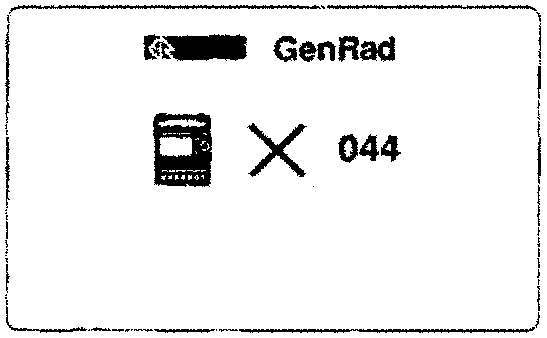
Figure 17. PDU hard error code
Step 13
Observe the screen display. Is the screen displaying the main menu (Fig 9)?
YES - Go to step 14
NO - Go to step 15
Step 14
Select the PDU system self test option and press the 'tick' icon. Does the screen respond?
YES - Go to step 15
NO - Renew the PDU (0017)
Step 15
Observe the display screen. Is the screen displaying the symbol shown in Fig 18?
YES - Connection problem, go to step 17
NO - Go to step 16
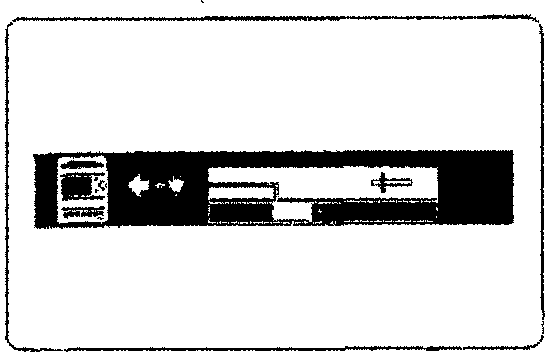
Figure 18. Communications blocked
Parts & tools for this job For 1994 Aston Martin DB7
- TOOLOBD2 scannerSearch: OBD2 scanner
- TOOLDigital multimeterSearch: automotive digital multimeter
- TOOLBack-probe test leadsSearch: back probe test leads
Links open Amazon search results in a new tab. As an Amazon Associate I earn from qualifying purchases.