
Step 21
- Make
- Aston Martin
- Model
- DB7 Factory Workshop Manual Volume 2: Electrics, Body and Air Conditioning
- Year
- 1994–1998
- Section
- Installation instructions › Step 21
Step 21
Observe the screen display. Is the system loading from the CD-ROM?
YES - Go to step 13.
NO - Renew the PDU (0017).
Parts Ordering
Before calling GenRad, it is essential that the system self test is run from the main menu. If the system self test will not run or the PDU does not switch on, follow the Problem Solving procedures.
The system self test option will identify any fault and display a fault code on the PDU screen. This fault code number must be recorded. When in contact with your local GenRad Service Centre, they will require this number in order to send the correct substitute parts.
Before calling the GenRad Service Centre, please have the following information available.
- Dealer Name and Address
- Name of the contact at that address
- PDU Serial Number (base station LHS - Fig 22)
- Fault Code, Component Name and Serial Number as given on the PDU screen during self test.
If the system self test will not run, GenRad will require the name and part number of the component identified during the Problem Solving Procedures.
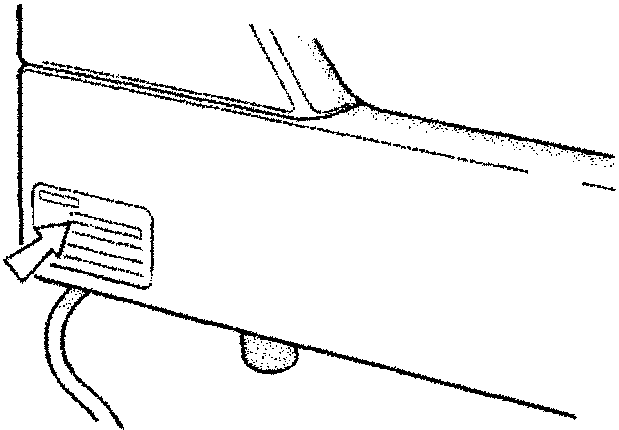
Figure 22. Diagnostic System Serial Number
Parts & tools for this job For 1994 Aston Martin DB7
- TOOLOBD2 scannerSearch: OBD2 scanner
- TOOLDigital multimeterSearch: automotive digital multimeter
- TOOLBack-probe test leadsSearch: back probe test leads
Links open Amazon search results in a new tab. As an Amazon Associate I earn from qualifying purchases.