
Installation
- Make
- Aston Martin
- Model
- DB9 Factory Workshop Manual
- Year
- Issue 2, 2005
- Section
- Fuel Tank and Lines › Installation
10 FuelInstallation · page 1 of 2
- Remove the tank service cover plate (Refer to '310-136 (Fuel Tank Drainage Adaptor)', page 20-1-7).
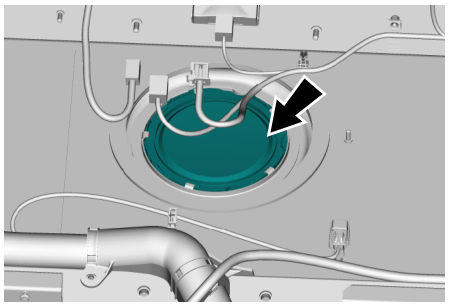
The following operation is completed using one hand and without sight of the fuel pump.
- Disconnect the main fuel pipe from the fuel filter (2).
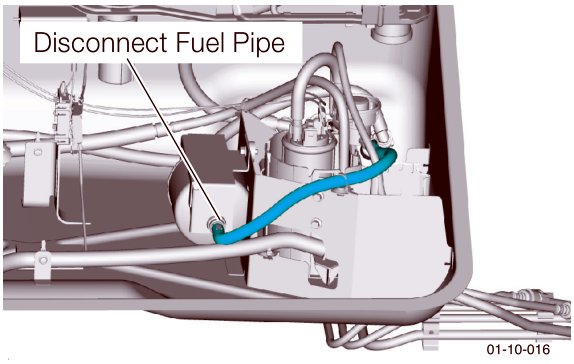
- Disconnect the cross feed fuel pipes.
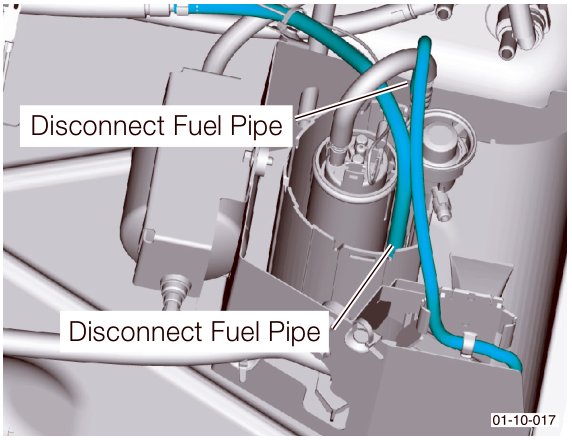
- Disconnect the wiring harness plug.
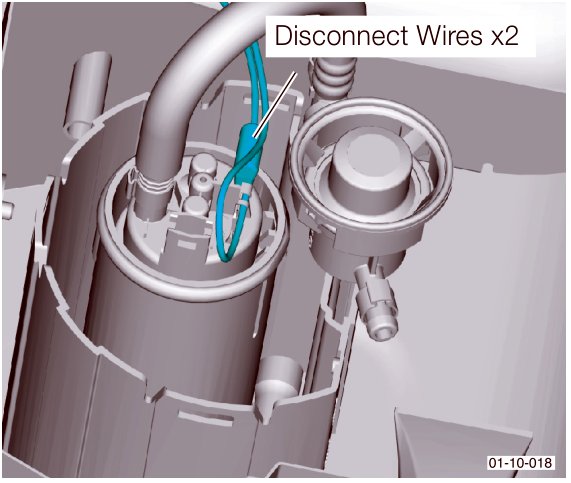
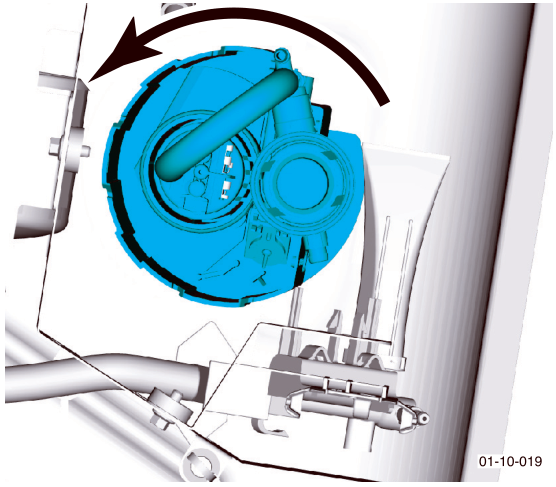
- Using the service tool (Refer to '310-140 (Fuel Pump Install / Remove)', page 20-1-7), twist the fuel pump anti-clockwise to release it from the mounting bracket. Withdraw the fuel pump.
Installation
- Place the fuel pump to it's mounting. Using the service tool twist clockwise to secure (Refer to '310-140 (Fuel Pump Install / Remove)', page 20-1-7).
The fuel pump should 'click' into place.
- Install the main fuel pipe, the cross feed pipes and the wiring harness plug.
- Install the tank service cover plate (Refer to '310-136 (Fuel Tank Drainage Adaptor)', page 20-1-7).
When installing the service cover plate always use a new seal.
- Connect the earth lead to the vehicle battery.
Warning
Fire Risk. Do not start engine until fuel system integrity is confirmed.
- Switch on the ignition. Confirm there are no fuel leaks.
- Start the engine and check for correct fuel system operation (i.e. correct engine running).
- Install both seat belts.
- Install the rear top panel.
- Install the passenger rear ¼ panel.
- Connect the seat belts lower mounts.
- Install the rear seats.
Install the seat backs then the seat bases.
- Install the passenger front seat.
Parts & tools for this job For 2005 Aston Martin DB9
- TOOLTorque wrenchSearch: 3/8 inch torque wrench
- TOOLSocket setSearch: socket set metric
- BOOKHaynes manualSearch: Haynes manual Aston Martin DB9
Links open Amazon search results in a new tab. As an Amazon Associate I earn from qualifying purchases.