
Discovery II
IN CAR ENTERTAINMENT
REPAIRS 86-6-37
DVD screen/player unit
$% 86.53.40
Remove
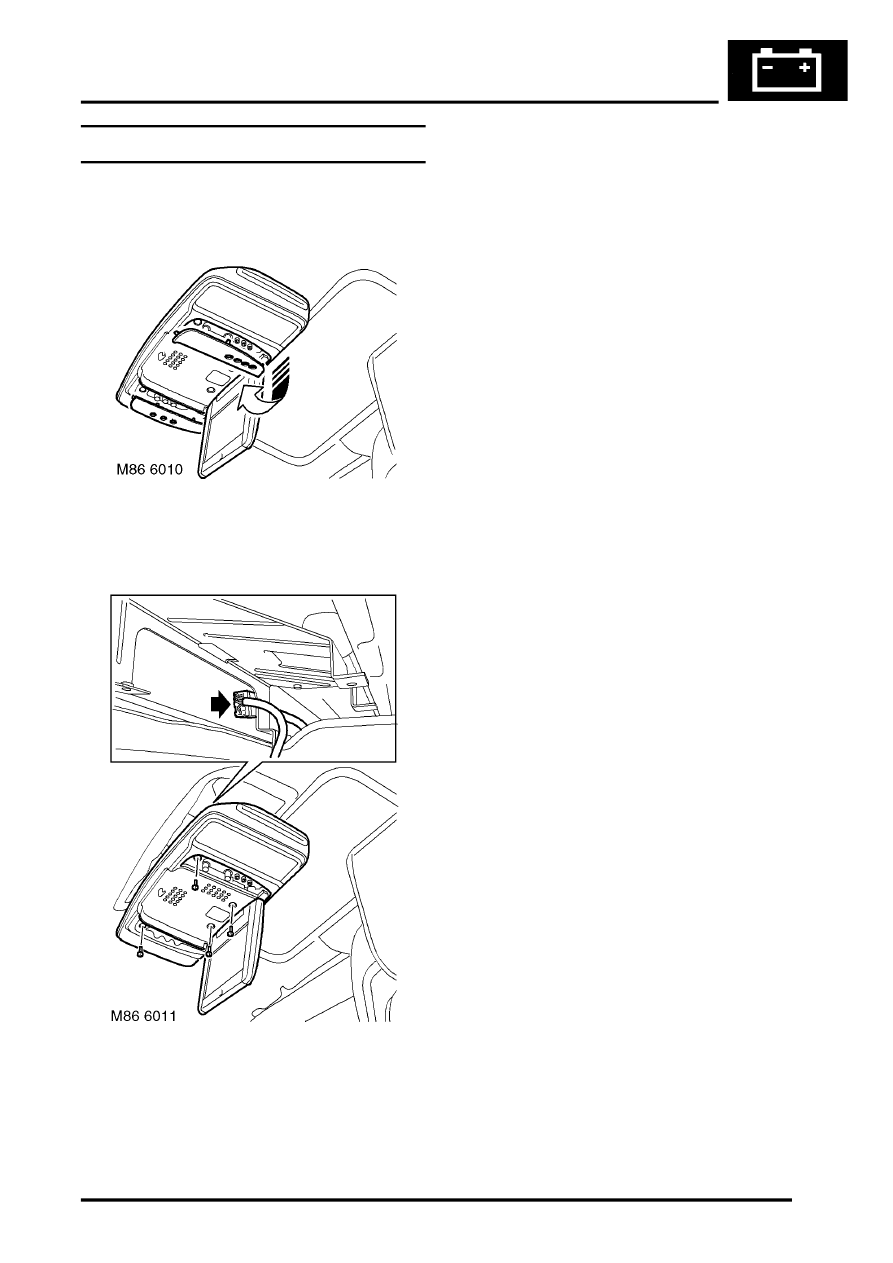
1. Carefully release and remove finishers from
DVD unit.
2. Lower the DVD screen.
3. Remove 4 Torx screws securing DVD unit and
carefully lower unit for access to multiplug.
4. Disconnect harness multiplug and remove DVD
unit.
Refit
1. Carefully release and remove finishers from
new DVD unit and lower the screen.
2. Position DVD unit and connect the multiplug.
3. Align DVD unit to its bracket, fit Torx screws
and tighten them to 6 Nm (4.4 lbf.ft).
4. Close DVD screen and fit finishers.