
Brake pedal
- Make
- Alfa Romeo
- Model
- GTV / Spider GTV and Spider (916) Factory Service Manual
- Year
- 1995–2000
- Section
- Hydraulic brake system › Brake pedal
33 BrakesBrake pedal
BRAKE PEDAL
REMOVAL/REFITTING
- Twist and remove the stop light switch from its housing.
- Remove the pin fastening the brake pedal to the servobrake.
- Slacken the fastening nut and remove the brake pedal.
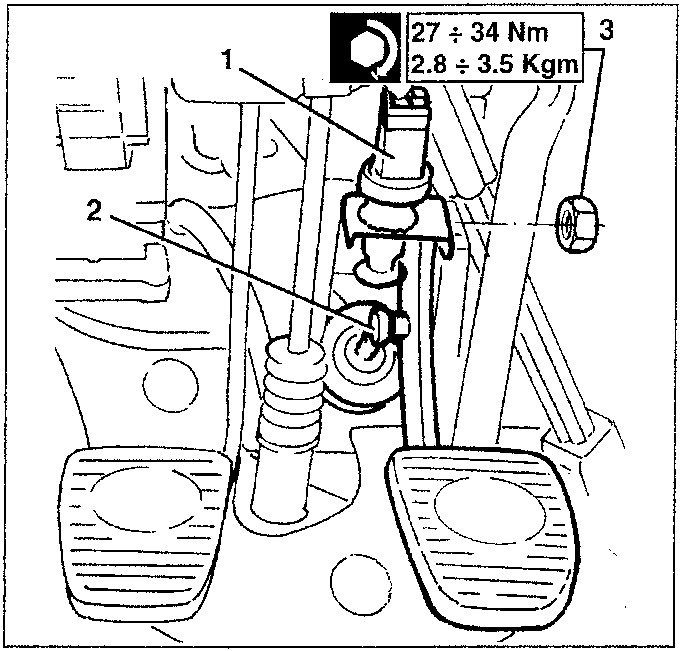
27 ÷ 34 Nm
2.8 ÷ 3.5 Kgm
BRAKE-CLUTCH FLUID RESERVOIR
REMOVAL/REFITTING
- Disconnect the battery negative terminal.
- Remove the air inlet corrugated pipe (see GROUP 10).
- Disconnect the low fluid level warning device.
Empty the reservoir using a syringe. - Disconnect the reservoir from the services tray slackening the two screws; remove the clip.
- Disconnect the two pipes leading from the reservoir from the pump.
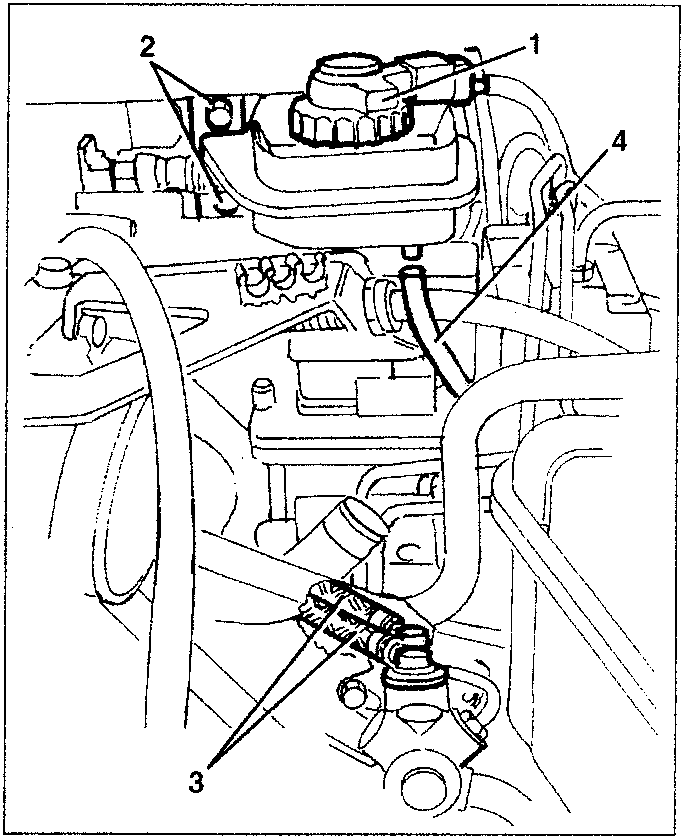
- Remove the reservoir.
- Disconnect the clutch circuit pipe from the reservoir.
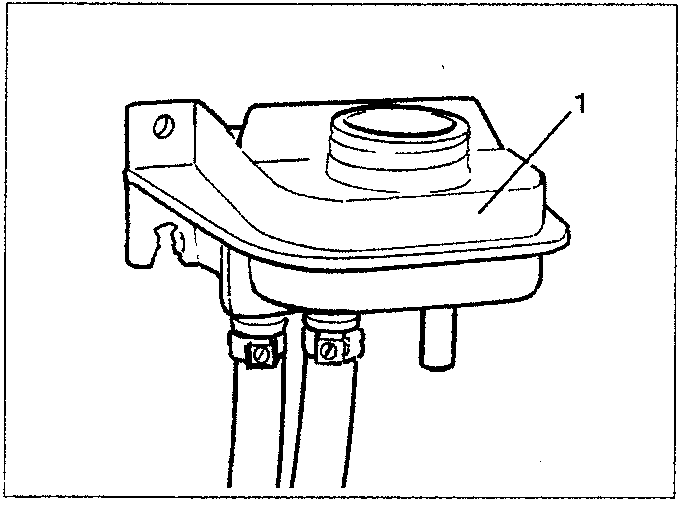
When refitting bleed the air from the system; then top up the level in the reservoir.
Parts & tools for this job For 1995 Alfa Romeo GTV / Spider
- PARTBrake padsSearch: Alfa Romeo GTV / Spider 1995 brake pads
- TOOLBrake bleeder kitSearch: one man brake bleeder kit
- FLUIDBrake fluidSearch: brake fluid
Links open Amazon search results in a new tab. As an Amazon Associate I earn from qualifying purchases.