
Automatic tuning into RDS transmitters
- Make
- Fiat
- Model
- Bravo /Brava (182) Factory Service Manual
- Year
- 1995–2001
- Section
- Radio equipment (98 range) › Automatic tuning into RDS transmitters
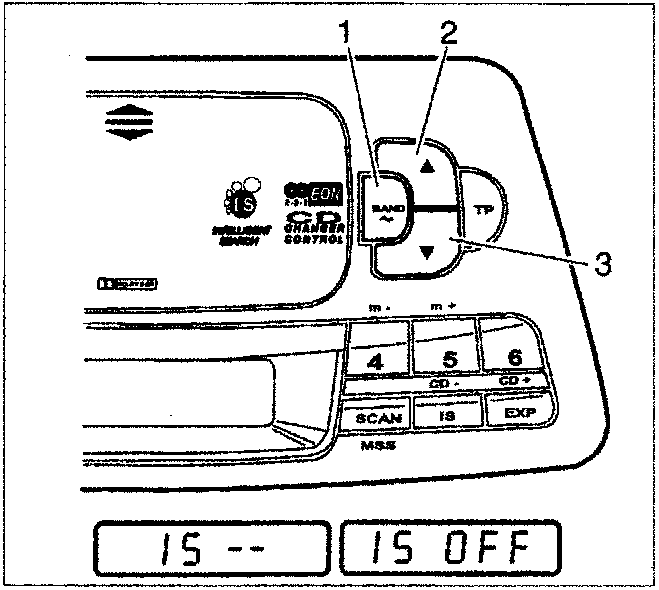
Automatic tuning into RDS transmitters
Select the FM or AM frequency desired using the BAND control (1).
The IS function should not be activated for this type of selection. If the IS function is switched on, press one of the "▲" "▼" buttons (2,3) for about 3 seconds until the message "IS - -" and then "IS OFF" appears on the display.
Pressing one of the "▲" "▼" buttons (2,3) briefly starts the automatic search.
When an (RDS) transmitter with an identification code is found, it can be seen on the display.
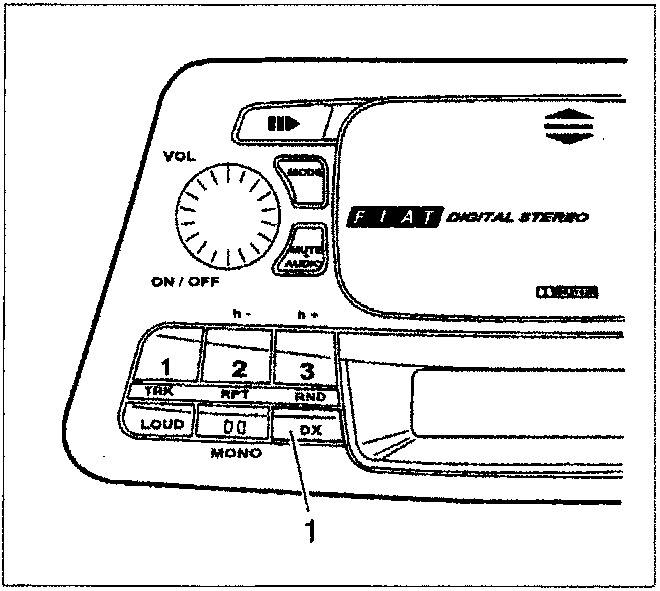
DX Function
The DX function makes it possible to choose the sensitivity with which to search for radio transmitters. With the DX function activated, the radio only selects stations above a certain power level. With the DX function deactivated, radio stations with lower power levels are also selected. To activate the DX function, press the button (1); the function is then deactivated if the same button is pressed again.
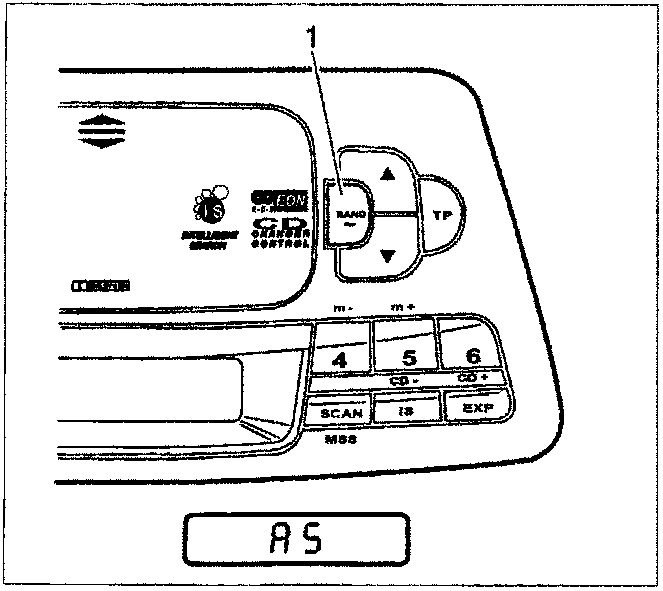
Automatic memorizing of transmitters (AUTOSTORE Function)
Select the frequency desired using the BAND control (1). The message on the display will show the frequency range selected.
Press the BAND control for about 6 seconds. The display will show firstly the message "AS" and then the scanning of the frequencies.
When the scanning of the frequency range is over, the six most powerful transmitters are available with the buttons (1,2,3,4,5,6).
Parts & tools for this job For 1995 Fiat Bravo
- TOOLDigital multimeterSearch: automotive digital multimeter
- PARTAssorted fuse kitSearch: car fuse assortment kit
- TOOLWire crimper and connector kitSearch: wire crimper connector kit
Links open Amazon search results in a new tab. As an Amazon Associate I earn from qualifying purchases.