
Selecting a function
- Make
- Fiat
- Model
- Bravo /Brava (182) Factory Service Manual
- Year
- 1995–2001
- Section
- Radio equipment (98 range) › Selecting a function
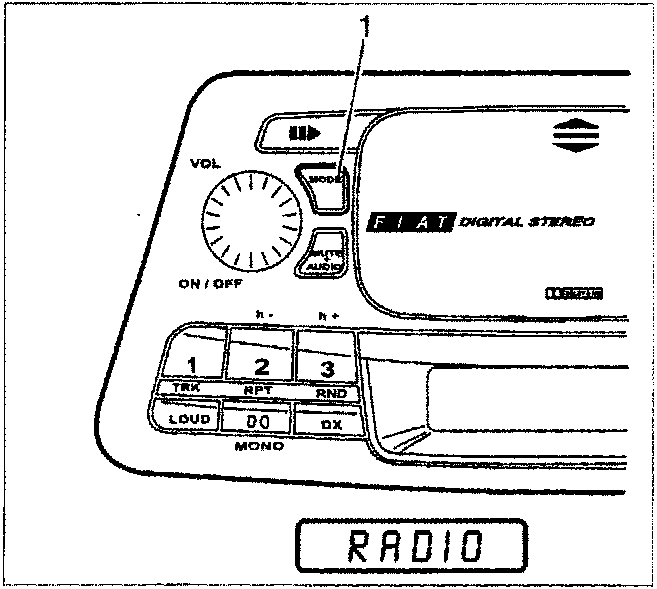
Selecting a function
As soon as the system is switched on, the radio is played. To select the Radio function whilst listening to a cassette or a Compact Disc, press the MODE button (1) repeatedly until the word "RADIO" appears on the display.
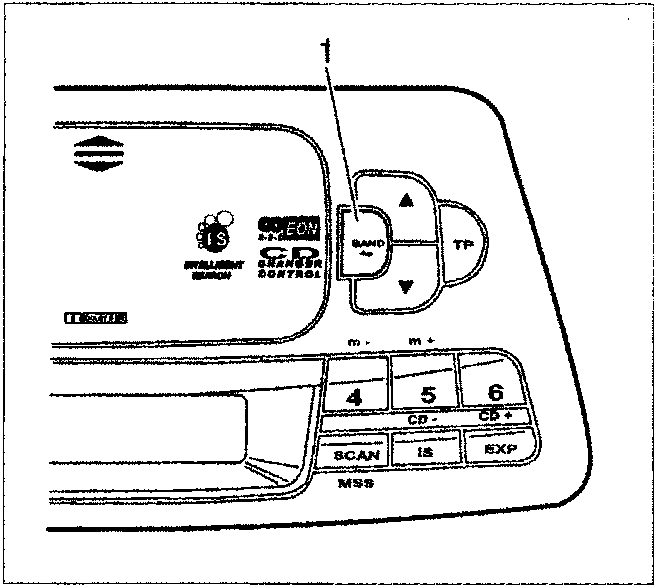
Selecting a band
By pressing the BAND button (1) briefly several times it is possible to select the available bands. The display shows the message for the band selected. The possible messages are:
- "FM1", "FM2", "FM3" for FM frequency bands
- "MW", medium wave, "LW", long wave, for AM bands.
Automatic intelligent turning (IS function)
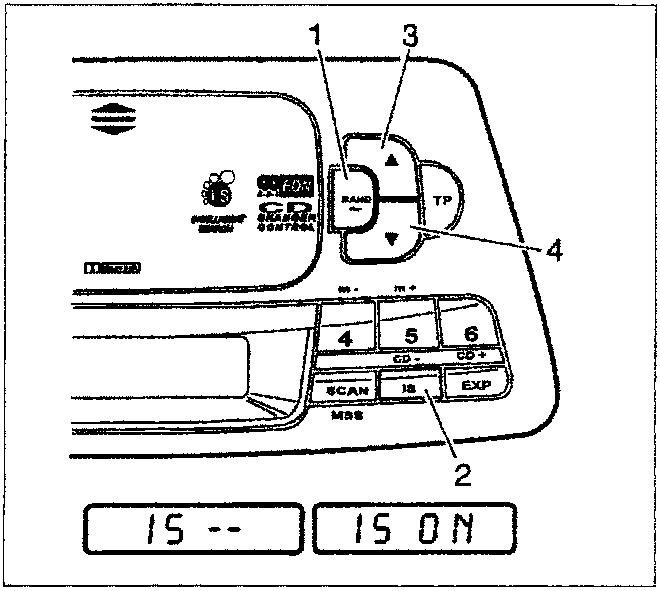
Using the BAND button (1) select the "FM1", "FM2" or "FM3" range.
Press the IS button (2) briefly for the intelligent automatic search.
At the end of the search the RDS programmes are memorized first and then the transmitters according to their transmission power in the radio IS memory. The IS memory is capable of storing up to 30 transmitters. If reception is not possible, it remains constantly activated; to interrupt it, press one of the station selection buttons (1,2,3,4,5,6).
To recall the transmitters stored in the IS memory, select the IS operating mode by pressing one of the buttons "▲" "▼" (3,4) for about 3 seconds until the message "IS - -" is shown on the display and then "IS ON". By pressing one of the "▲" "▼" buttons briefly it is possible to gradually recall the transmitters memorized.
Parts & tools for this job For 1995 Fiat Bravo
- TOOLDigital multimeterSearch: automotive digital multimeter
- PARTAssorted fuse kitSearch: car fuse assortment kit
- TOOLWire crimper and connector kitSearch: wire crimper connector kit
Links open Amazon search results in a new tab. As an Amazon Associate I earn from qualifying purchases.