
Setting the TIME
- Make
- Fiat
- Model
- Bravo /Brava (182) Factory Service Manual
- Year
- 1995–2001
- Section
- Radio equipment (98 range) › Setting the TIME
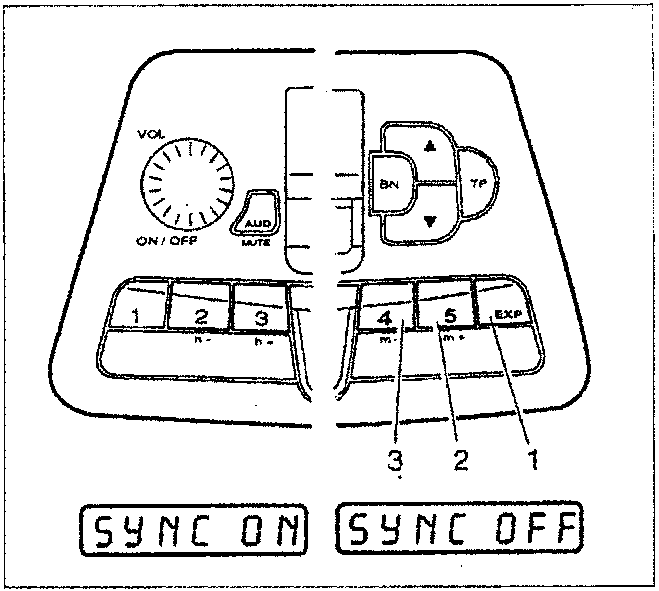
Setting the TIME
The frequency selection buttons required for the adjustment of the hour are:
Buttons 2 and 3 for setting the hour
Buttons 4 and 5 for setting the minutes
To start the clock with precision, press the EXP button (1) briefly.
Synchronizing the clock
This allows the clock to be synchronized with the RDS TIMER signals transmitted by the broadcaster.
By pressing frequency selection button 5 (2) the message on the display will be "SYNC ON", whilst if frequency selection button 4 (3) is pressed the message "SYNCH OFF" will appear on the display.
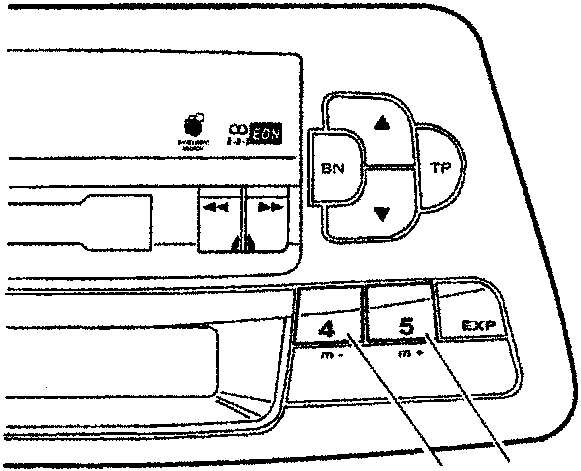
Minimum volume for listening to traffic news
The desired level can be set using frequency selection buttons 4 (1) and 5 (2) to increase or decrease the volume, respectively.
During the adjustment, the message "TAVOL YY" will appear on the display where YY refers to the volume level set.
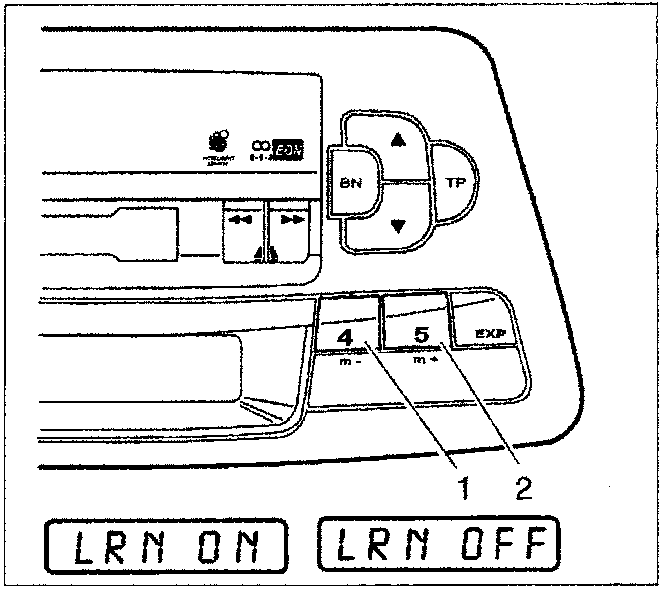
Switching LNR on/off (radio function)
This makes it possible to switch the search for RDS traffic new broadcasters on or off.
The frequency selection buttons for switching it on and off are buttons 4 (1) and 5 (2), respectively.
The messages "LRN ON" and "LRN OFF" respectively, will appear on the display when the function is switched on or off.
Parts & tools for this job For 1995 Fiat Bravo
- TOOLDigital multimeterSearch: automotive digital multimeter
- PARTAssorted fuse kitSearch: car fuse assortment kit
- TOOLWire crimper and connector kitSearch: wire crimper connector kit
Links open Amazon search results in a new tab. As an Amazon Associate I earn from qualifying purchases.