
Operation
- Make
- Fiat
- Model
- Bravo /Brava (182) Factory Service Manual
- Year
- 1995–2001
- Section
- Radio equipment (98 range) › Operation
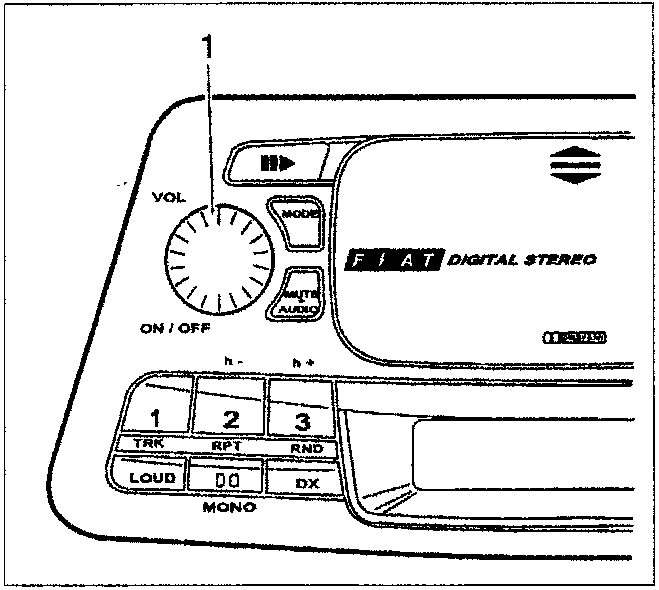
OPERATION
Switching on the radio
Press the VOL control (1) once: the radio should come on. If the radio is on when the engine is switched off, it switches off automatically after about 20 minutes.
Switching on/off with engine started up-/switched off
The radio contains a switching on logic which, if activated, allows the radio to be switched on/off at the same time as the engine is started up/switched off.
If the logic is activated: when the engine is started up/switched off, the radio is automatically switched on/off;
If the logic is not activated: the switching on/off of the engine takes place independently of the switching on/off of the radio.
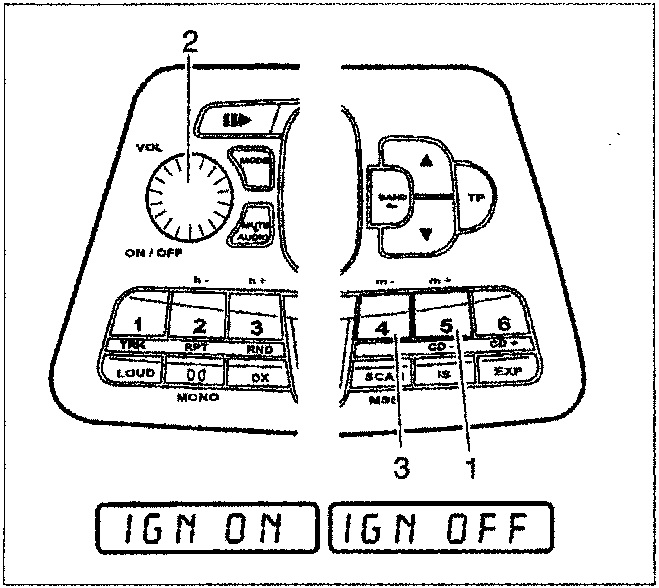
To activate this logic, keep the button 5 for selecting stations (1) with the radio switched off pressed until the words "IGN ON" appear on the display, then switch on the radio using the VOL control (2).
The logic is only activated when the radio is switched on via the VOL control.
To deactivate this logic, keep the button 4 for selecting stations (3) with the radio switched off pressed until the message "IGN OFF" appears on the display.
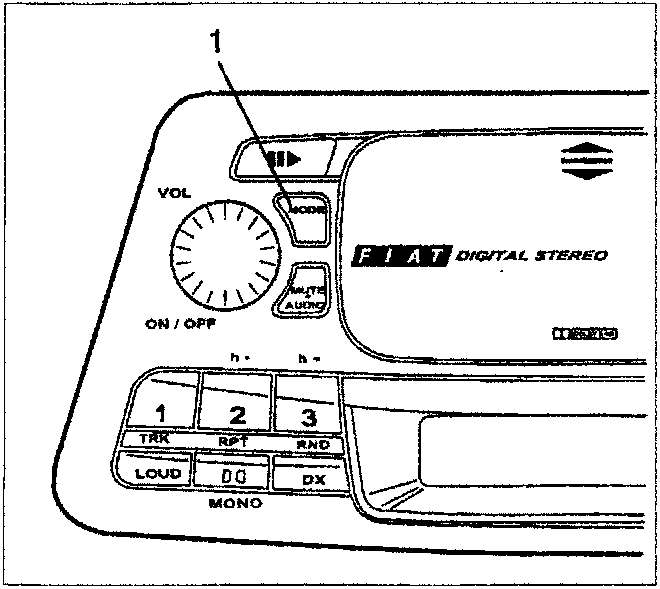
Selecting radio/audiocassette/Compact Disc functions
Press the MODE button (1) repeatedly to cyclically select one of the following functions:
- RADIO, the displays will temporarily show the message "RADIO"
- AUDIOCASSETTE (if switched on previously), the display will temporarily show the message "TAPE A" or "TAPE B"
- COMPACT DISC (if a Compact Disc player is fitted), the display will show the message "MCD"
NOTE The functions which cannot be selected are automatically excluded.
Parts & tools for this job For 1995 Fiat Bravo
- TOOLDigital multimeterSearch: automotive digital multimeter
- PARTAssorted fuse kitSearch: car fuse assortment kit
- TOOLWire crimper and connector kitSearch: wire crimper connector kit
Links open Amazon search results in a new tab. As an Amazon Associate I earn from qualifying purchases.