
Microcheck
- Make
- Rover
- Model
- 600 Rover 600 Repair Manual - Volumes 1 and 2 - 2nd Edition
- Section
- Information › Microcheck
ElectricalMicrocheck
Microcheck
The following pages contain various fault finding charts and tables which should be used as an aid to diagnosis.
If a system can be checked by using MICROCHECK this should always be done first, before the charts and tables are used.
Tips and Precautions
Before Fault Finding
- Check applicable fuses in the appropriate fuse/relay box.
- Check the battery for damage, state of charge, and clean and tight connections.
- Check the alternator belt tension.
CAUTION:
- Do not quick – charge a battery unless the battery earth cable has been disconnected. Otherwise, you will damage the alternator diodes.
- Do not attempt to crank the engine with the battery earth cable loosely connected or you will severely damage the wiring.
Handling Connectors
- Make sure the connectors are clean and have no loose wire terminals.
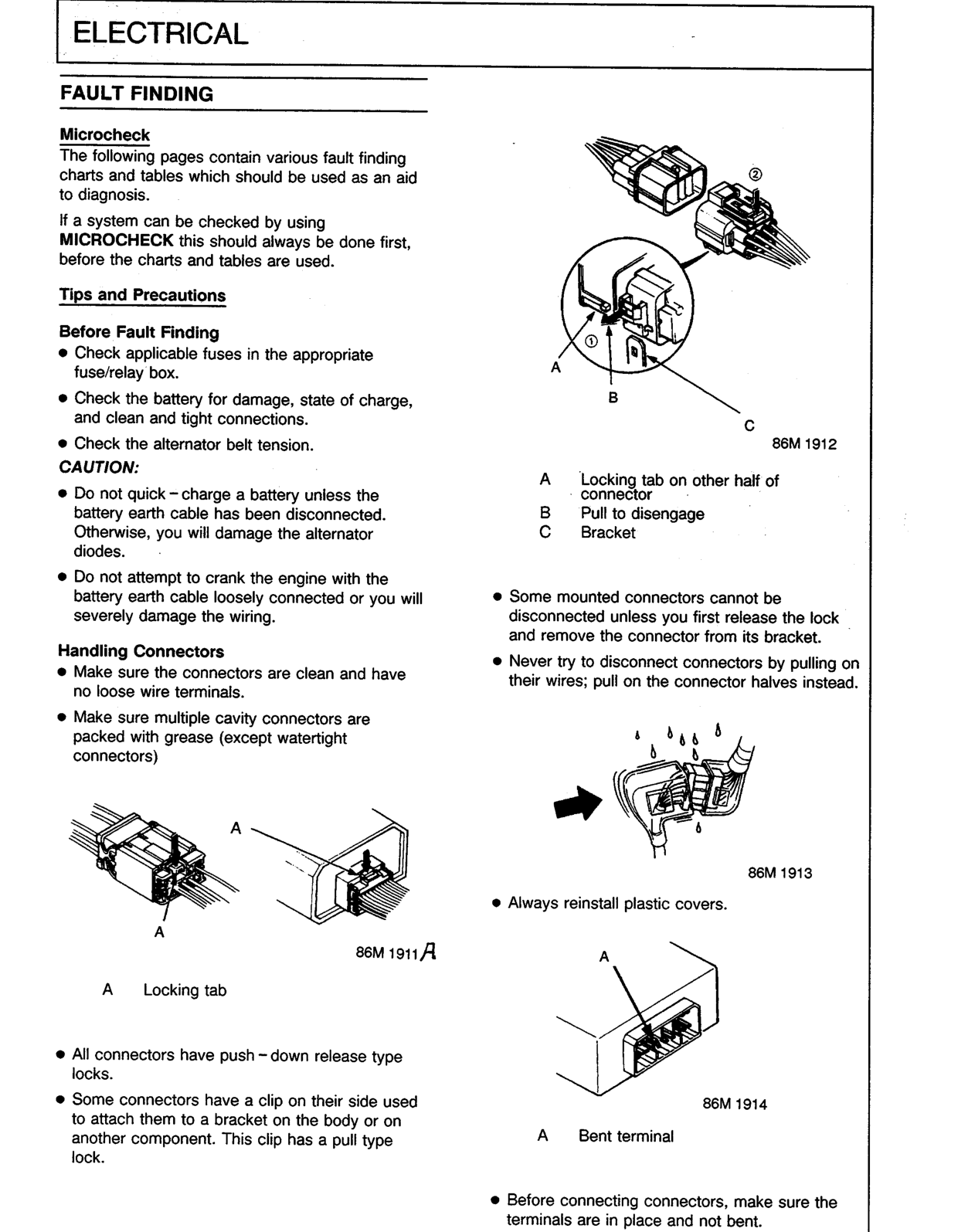
- Make sure multiple cavity connectors are packed with grease (except watertight connectors)
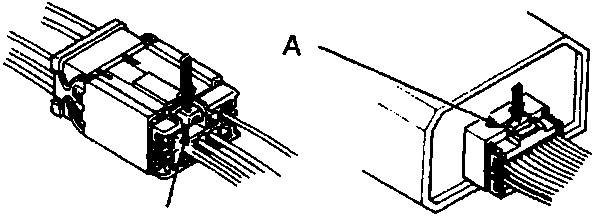
86M 1911
- A Locking tab
- All connectors have push – down release type locks.
- Some connectors have a clip on their side used to attach them to a bracket on the body or on another component. This clip has a pull type lock.
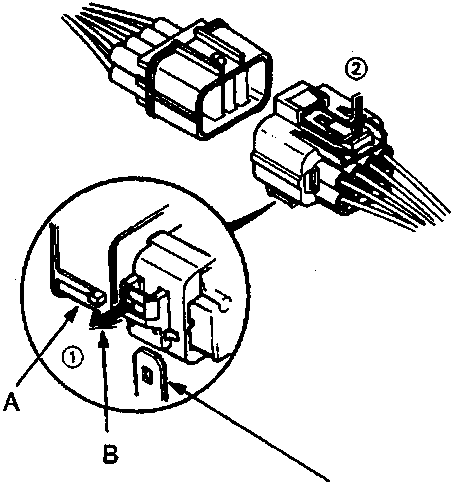
86M 1912
- A Locking tab on other half of connector
- B Pull to disengage
- C Bracket
- Some mounted connectors cannot be disconnected unless you first release the lock and remove the connector from its bracket.
- Never try to disconnect connectors by pulling on their wires; pull on the connector halves instead.
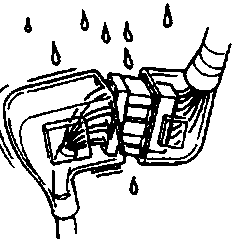
86M 1913
- Always reinstall plastic covers.
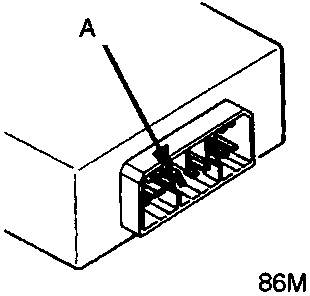
86M 1914
- A Bent terminal
- Before connecting connectors, make sure the terminals are in place and not bent.
Original page
Parts & tools for this job For Rover 600
- TOOLDigital multimeterSearch: automotive digital multimeter
- PARTAssorted fuse kitSearch: car fuse assortment kit
- TOOLWire crimper and connector kitSearch: wire crimper connector kit
Links open Amazon search results in a new tab. As an Amazon Associate I earn from qualifying purchases.