
Flow charts (page 5 of 8)
- Make
- Rover
- Model
- 600 Rover 600 Repair Manual - Volumes 1 and 2 - 2nd Edition
- Section
- Precautions
Supplementary restraint system (SRS)Flow charts · page 5 of 8
Fault: The SRS Indicator Light Stays On Continuously
- The LED of the SRS unit does not light.
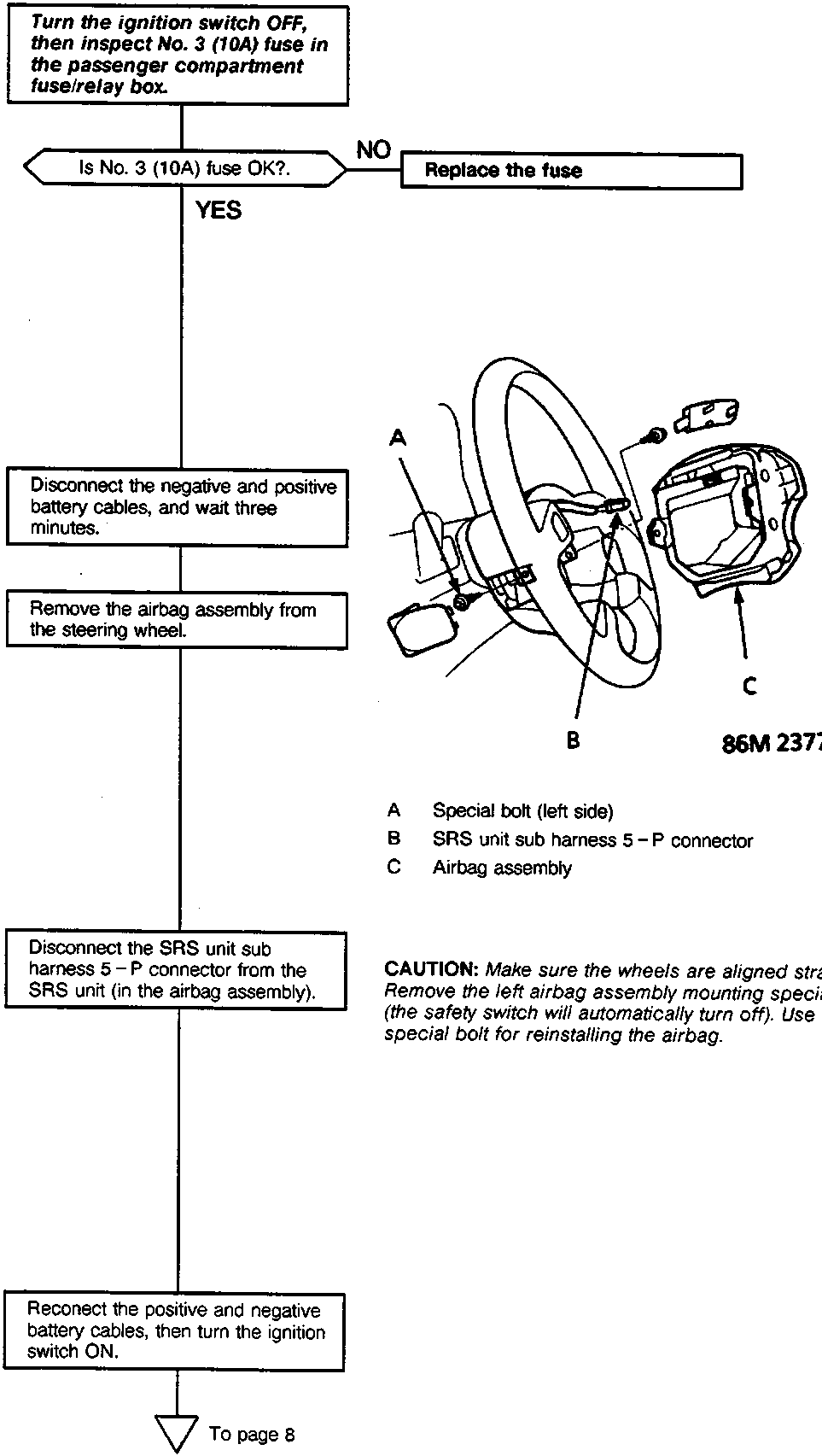
- Turn the ignition switch OFF, then inspect No. 3 (10A) fuse in the passenger compartment fuse/relay box.
- Is No. 3 (10A) fuse OK?.
NO Replace the fuse
YES
- Disconnect the negative and positive battery cables, and wait three minutes.
- Remove the airbag assembly from the steering wheel.
- A Special bolt (left side)
- B SRS unit sub harness 5 – P connector
- C Airbag assembly
- Disconnect the SRS unit sub harness 5 – P connector from the SRS unit (in the airbag assembly).
CAUTION: Make sure the wheels are aligned straight ahead. Remove the left airbag assembly mounting special bolt first (the safety switch will automatically turn off). Use a new special bolt for reinstalling the airbag.
- Reconnect the positive and negative battery cables, then turn the ignition switch ON.
To page 8
Parts & tools for this job For Rover 600
- TOOLOBD2 scanner with SRSSearch: OBD2 scanner ABS SRS
- TOOLTrim removal tool kitSearch: trim removal tool kit
Links open Amazon search results in a new tab. As an Amazon Associate I earn from qualifying purchases.