Vehicle electricsRadio ?SEAT Sound System 2.0?
| Determining anti-theft coding via VAS tester and deactivating anti-theft coding |
|
|
|
| Special tools, workshop equipment, testers, measuring instruments and other items required |
| t
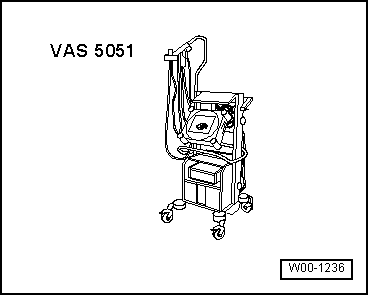
| Vehicle diagnosis, testing and information system |
| t
| Diagnosis cable -VAS 5051/5a- or -VAS 5051/6a- or -VAS 5052/3- |
| Determining anti-theft code of anti-theft coding via VAS tester: |
| In the vehicle diagnosiss tester, select „Guided functions“. |
| Alternatively, select „Guided fault finding“ in the vehicle diagnosiss tester. |
| Once you have consulted all of the control units: |
| –
| Select „Function / component selection“. |
| –
| Select „Electrical system“. |
| –
| Select „01 Systems capable of self-diagnosis“. |
| –
| Select „Radio or radio/navigation system“. |
| –
| Select and start „Radio code request“. |
| Your system rights are then determined. The operating data, the VIN and the unit number of the radio or radio-navigation system are then read out automatically. |

Note | When installing radios or radio navigation systems which are new or have not yet been adapted to the vehicle, it is possible that the vehicle diagnosiss tester will be unable to read out the number of the radio unit or the radio navigation system. In this case, enter the number manually. It can be read off from the sticker affixed to the unit and is additionally stamped into the side of the unit. |
| The anti-theft code which has been determined is then shown on the display of the vehicle diagnosiss tester. |
| The anti-theft code must now be entered manually into the radio or radio navigation system. |
| Deactivating anti-theft coding: |
| The word „SAFE“ appears for approx. 10 seconds on the display and then number sequence „1000“. |
| –
| Enter anti-theft code by pressing the relevant function buttons until correct sequence of digits is displayed. |
| After entering the four-digit anti-theft code, „OK“ appears on the display. |
| –
| After entering the correct anti-theft code, confirm this by pressing the function button „OK“ on the display. |
| The unit will be released and is ready for use. |
Note | If you enter an incorrect code to deactivate the electronic lock, „SAFE“ first flashes in the display, followed by „1000“ again. The entire procedure can be repeated. The number of attempts is shown on the display. If an incorrect code is entered again, the radio is blocked for approx. one hour. It can then no longer be operated. This is indicated by the fact that „SAFE“ is permanently shown on the display. The number of attempts disappears from the display after one hour, during which time the unit and the ignition must have been on continuously. The electronic lock can be cancelled as described above. The »two attempts, blocked for one hour« cycle still applies. |
|
|
|
06 General