
BATTERY Refit
- Make
- Land Rover
- Model
- Defender 90 Workshop Manual (NAS)
- Section
- Repair › BATTERY Refit
ElectricalBATTERY Refit
BATTERY Refit
Service repair no - 86.15.01
Remove
- WARNING: During battery removal or
- before carrying out any repairs or
- maintenance to electrical components
always disconnect negative ’-’ lead first. If positive 10. Fit seat cushion. ’+’ lead is disconnected with negative ’-’ lead in place, accidental contact of a wrench to any grounded metal part could cause a severe spark, possibly resulting in personal injury. Upon installation of battery always connect positive ’+’ lead first.
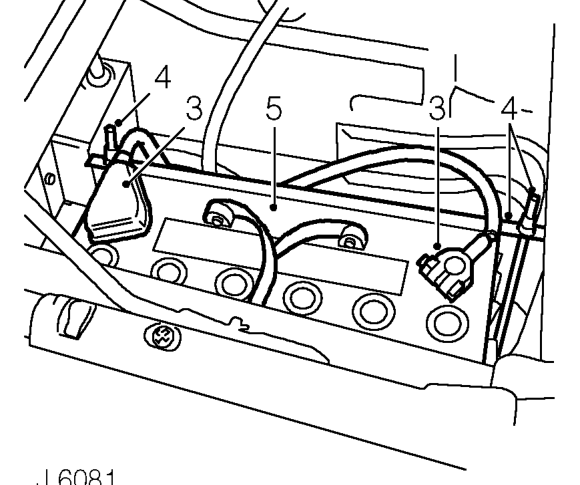
- Remove LH front seat cushion.
- Release clip and remove battery access cover.
- Disconnect both battery leads, negative ’-’ first.
- Slacken securing nuts and move battery clamp, with ’J’ bolts aside.
- Remove battery.
- Clean off corrosion and neutralize. Coat battery clamps and terminals with petroleum jelly.
- Position battery and secure with clamp. Ensure ’J’ bolts are hooked correctly under retaining brackets on base of battery box.
- Reconnect battery leads, positive ’+’ lead first.
- Fit battery access cover and secure with clip.
Parts & tools for this job For Land Rover Defender
- TOOLBattery testerSearch: car battery tester
- TOOLDigital multimeterSearch: automotive digital multimeter
- TOOLBattery terminal cleanerSearch: battery terminal cleaner
Links open Amazon search results in a new tab. As an Amazon Associate I earn from qualifying purchases.