
Cool vent cable
- Make
- Rover
- Model
- 600 Rover 600 Repair Manual - Volumes 1 and 2 - 2nd Edition
- Section
- Repairs › Cool vent cable
Heating and ventilationCool vent cable
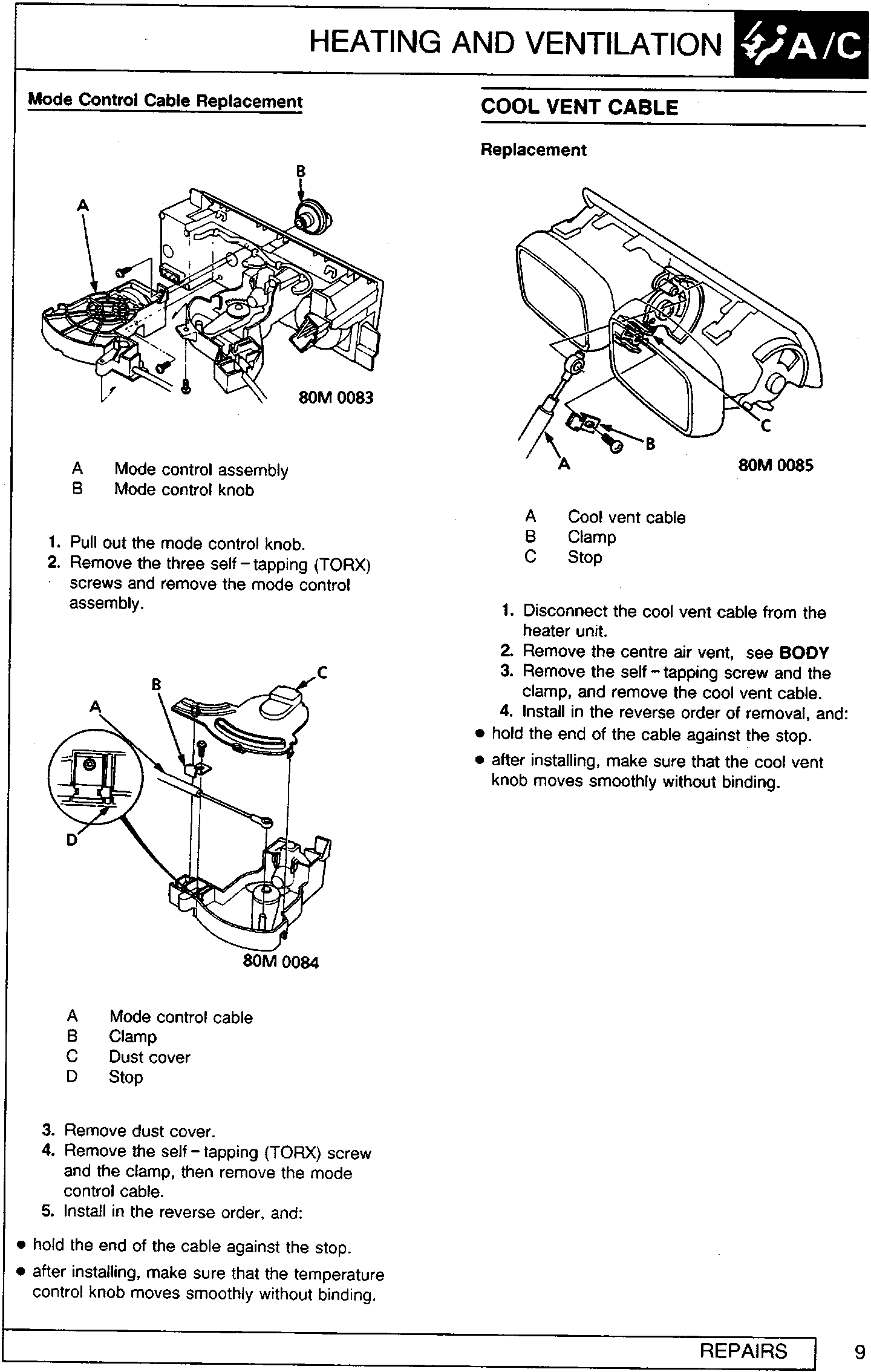
A Mode control assembly
B Mode control knob
- Pull out the mode control knob.
- Remove the three self – tapping (TORX) screws and remove the mode control assembly.
A Mode control cable
B Clamp
C Dust cover
D Stop
- Remove dust cover.
- Remove the self – tapping (TORX) screw and the clamp, then remove the mode control cable.
- Install in the reverse order, and:
- hold the end of the cable against the stop.
- after installing, make sure that the temperature control knob moves smoothly without binding.
COOL VENT CABLE
Replacement
A Cool vent cable
B Clamp
C Stop
- Disconnect the cool vent cable from the heater unit.
- Remove the centre air vent, see BODY
- Remove the self – tapping screw and the clamp, and remove the cool vent cable.
- Install in the reverse order of removal, and:
- hold the end of the cable against the stop.
- after installing, make sure that the cool vent knob moves smoothly without binding.
Parts & tools for this job For Rover 600
- TOOLA/C manifold gauge setSearch: AC manifold gauge set
- TOOLUV leak detection kitSearch: AC UV leak detection kit
- PARTCabin filterSearch: Rover 600 cabin filter
Links open Amazon search results in a new tab. As an Amazon Associate I earn from qualifying purchases.