
Replacement (page 2 of 2)
- Make
- Rover
- Model
- 600 Rover 600 Repair Manual - Volumes 1 and 2 - 2nd Edition
- Section
- Repairs
Heating and ventilationReplacement · page 2 of 2
With air conditioning
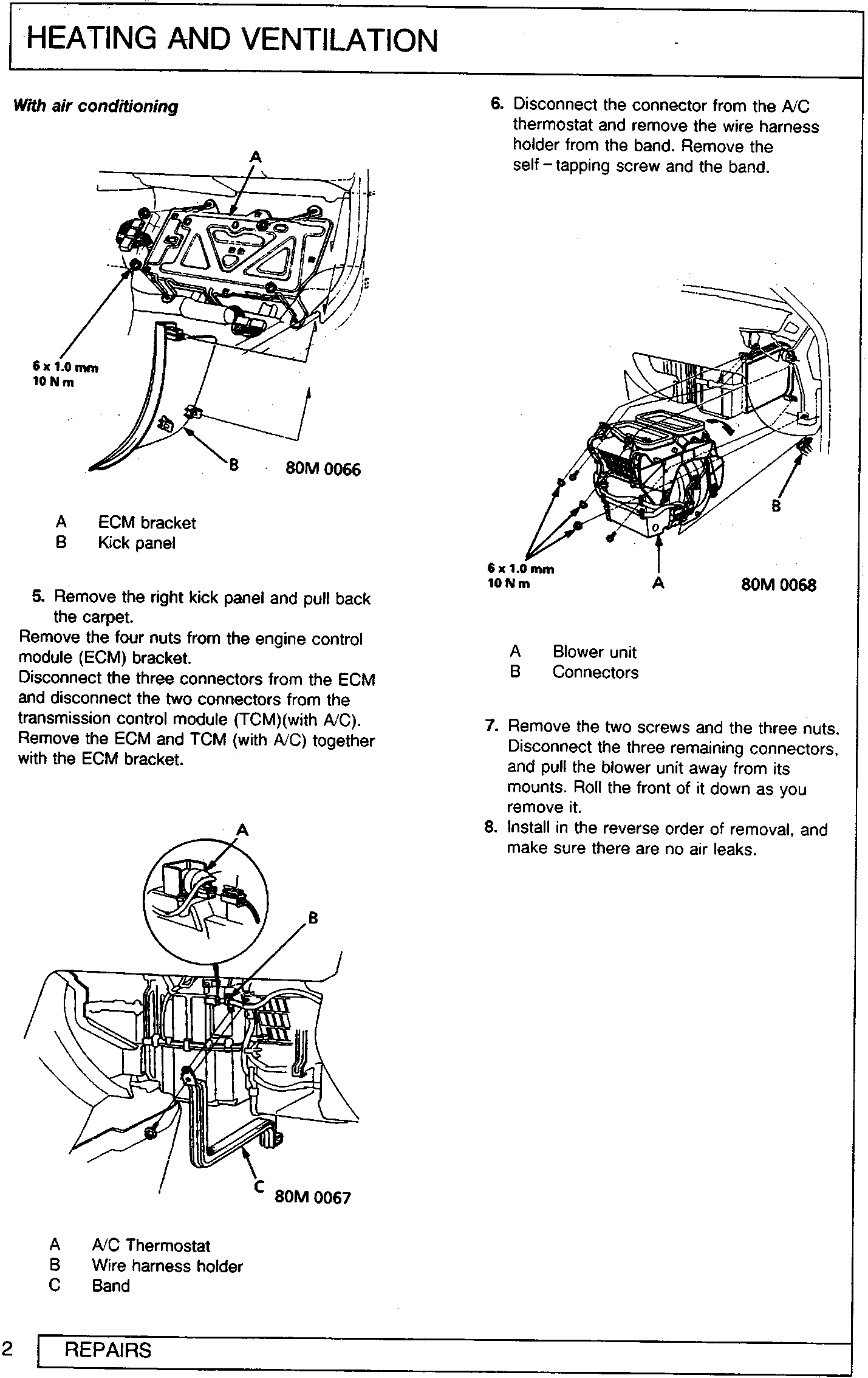
- 5. Remove the right kick panel and pull back the carpet. Remove the four nuts from the engine control module (ECM) bracket. Disconnect the three connectors from the ECM and disconnect the two connectors from the transmission control module (TCM)(with A/C). Remove the ECM and TCM (with A/C) together with the ECM bracket.
- 6. Disconnect the connector from the A/C thermostat and remove the wire harness holder from the band. Remove the self-tapping screw and the band.
- 7. Remove the two screws and the three nuts. Disconnect the three remaining connectors, and pull the blower unit away from its mounts. Roll the front of it down as you remove it.
- 8. Install in the reverse order of removal, and make sure there are no air leaks.
Parts & tools for this job For Rover 600
- TOOLA/C manifold gauge setSearch: AC manifold gauge set
- TOOLUV leak detection kitSearch: AC UV leak detection kit
- PARTCabin filterSearch: Rover 600 cabin filter
Links open Amazon search results in a new tab. As an Amazon Associate I earn from qualifying purchases.