
Maintenance (Handbrake): Procedures
- Make
- Land Rover
- Model
- Discovery II (UK)
- Section
- Procedures › Handbrake
MaintenanceHandbrake
Handbrake
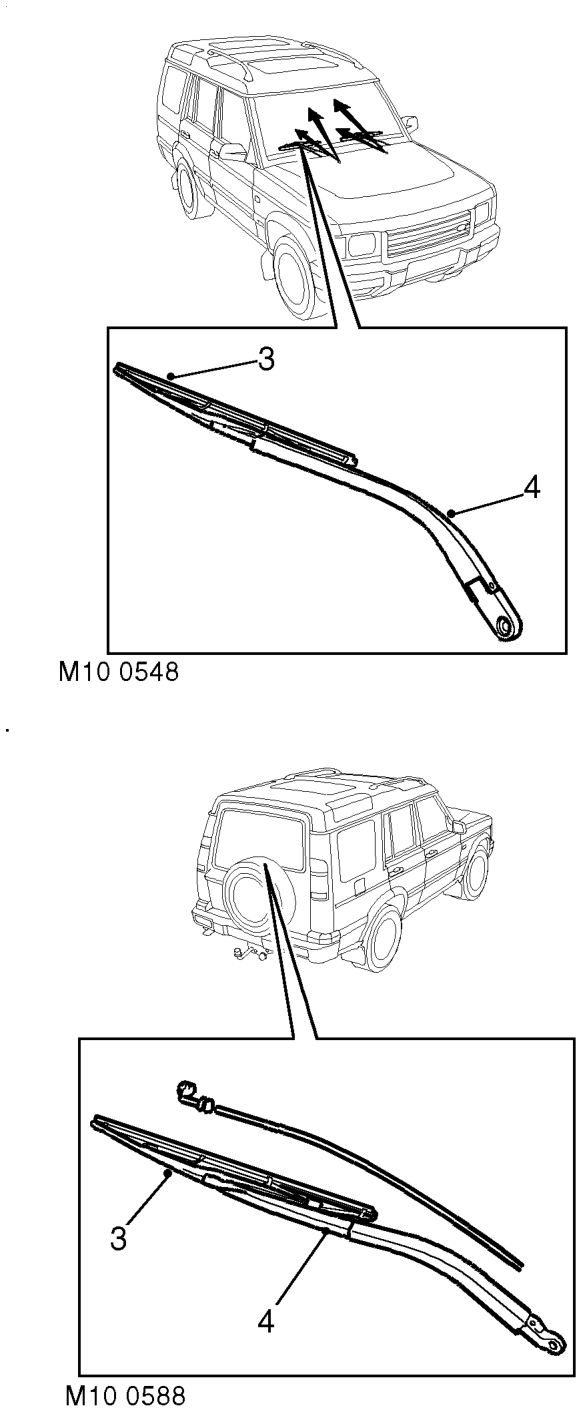
Check
Alarm handset battery
Replace
- Check all wiper blades for condition and signs of splits or damage.
- Check security of wiper arms.
- With the vehicle stationary, on a level surface, apply and release handbrake and check for correct operation. BRAKES, ADJUSTMENTS, Handbrake.
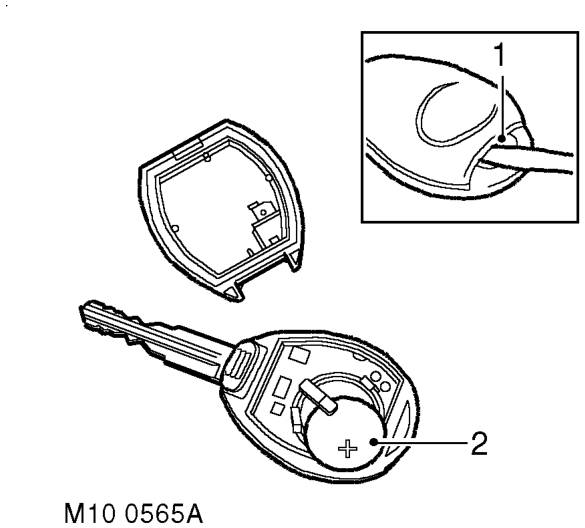
- Insert the blade of a small, flat bladed screwdriver into the slot at the rear of the handset and prise the back from the handset.
- Slide the battery out of the clip taking care not to touch the circuit board or the battery contacts.
- Press and hold one of the buttons for at least 5 seconds.
- Fit the replacement battery ensuring that correct polarity is maintained (+) side facing upwards. Avoid touching the flat surfaces of the battery.
- Press the 2 halves of the handset together.
- Check that handset operates correctly.
Parts & tools for this job For Land Rover Discovery
- PARTOil filterSearch: Land Rover Discovery oil filter
- TOOLOil filter wrenchSearch: oil filter wrench
- FLUIDEngine oilSearch: Land Rover Discovery engine oil
Links open Amazon search results in a new tab. As an Amazon Associate I earn from qualifying purchases.