
Clear all Trouble Codes
- Make
- Aston Martin
- Model
- DB7 Factory Workshop Manual Volume 2: Electrics, Body and Air Conditioning
- Year
- 1994–1998
- Section
- Operating instructions › Clear all Trouble Codes
Clear all Trouble Codes
Selecting the clear all trouble codes icon will invoke a confirmation window.
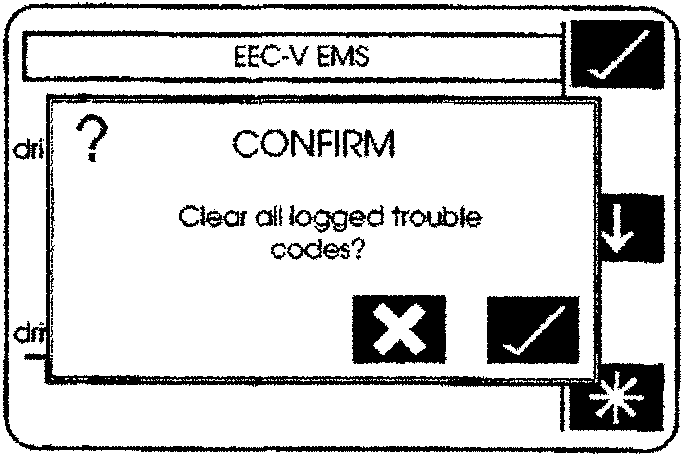
'Clear All Codes' confirmation screen
Selecting the 'tick' will instruct the PDU to clear all logged trouble codes in the selected module and return to the no logged codes screen.
Select the 'tick' icon to exit Diagnostic Trouble Codes.
Clear Selected Trouble Codes
(95 MY Zytek Engine Management Only))
If you wish only to clear selected codes on the Zytek ECU and leave others for later investigation, proceed as follows:
Highlight only the trouble code(s) to be cleared.
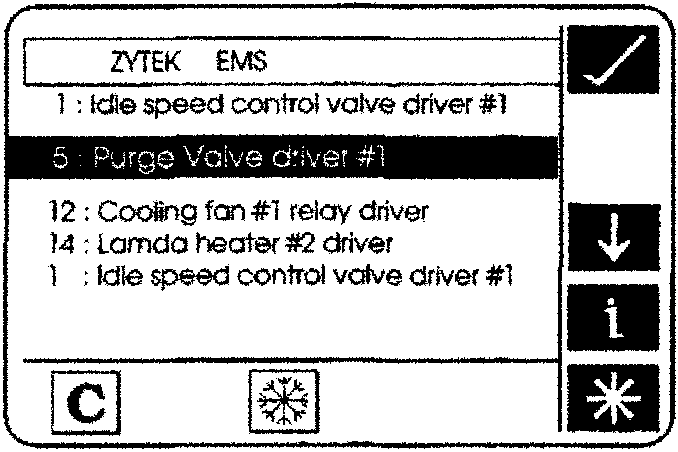
Highlighting Selected Trouble Codes
Select the 'clear selected trouble codes' icon; this will invoke a confirmation window.
Selecting the 'tick' icon will instruct the PDU to clear only the selected trouble codes from the control module fault table, and if successful, the system will return to the 'Diagnostic trouble codes' screen.
If any attempt to clear trouble codes is unsuccessful, a warning window will be displayed.
This will indicate that some selected trouble codes remain logged, selecting the 'tick' icon will return to the 'Diagnostic trouble codes' screen.
Select the 'tick' icon again to exit Diagnostic Trouble Codes.
Parts & tools for this job For 1994 Aston Martin DB7
- TOOLOBD2 scannerSearch: OBD2 scanner
- TOOLDigital multimeterSearch: automotive digital multimeter
- TOOLBack-probe test leadsSearch: back probe test leads
Links open Amazon search results in a new tab. As an Amazon Associate I earn from qualifying purchases.