
Pre-trigger and Post-trigger
- Make
- Aston Martin
- Model
- DB7 Factory Workshop Manual Volume 2: Electrics, Body and Air Conditioning
- Year
- 1994–1998
- Section
- Operating instructions › Pre-trigger and Post-trigger
Pre-trigger and Post-trigger
The pre-trigger and post-trigger represent the duration of the tests before and after the trigger point respectively.
Waveform
Select the waveform icon from the main menu, confirm selection using the 'tick' icon; the waveform screen should now be displayed.
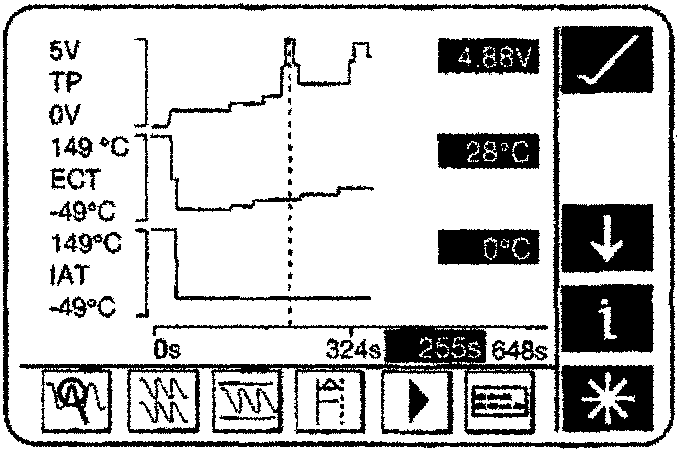
Waveform Display
The screen consists of three parts:
- Waveform Display
- System icons
- Datalogger Specific icons
Waveform Display
The waveform display provides a graphical indication of activity occurring within the displayed parameters. This feature provides a display of various waveforms simultaneously. Each waveform represents a vehicle parameter indicating measured activity in relation to time. The display is dynamically updated at the frequency of the sample interval.
To the right-hand side of the waveform is a digital read-out of that signal.
A vertical dotted line (cursor) on the screen represents the point in time displayed by the digital read-out.
This cursor may be moved by applying finger pressure to the screen in the position the cursor is required.
The system up or down icons can be used to scroll the waveform display up or down respectively to look at the other displayed waveforms.
System Icons
For a detailed description of each of the system icons, refer to the on-screen Datalogger Training Programme.
Datalogger Specific Icons
The DataLogger specific icons are those at the bottom of the screen.
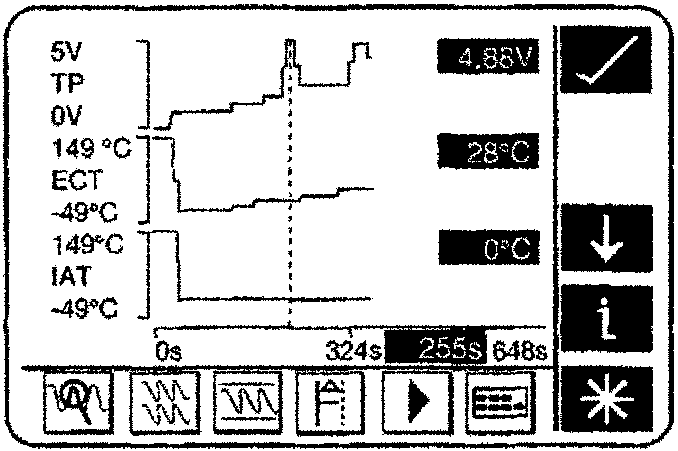
Datalogger Icons
Record Icon
Press the record icon to start capturing data, a trigger icon will replace the record icon.

Press the trigger icon to instigate the manual trigger.
Once the trigger procedure has occurred, a stop icon will replace the trigger icon.
Press the stop icon to stop capturing data.
The following icons are to aid viewing / analysis.
Parts & tools for this job For 1994 Aston Martin DB7
- TOOLOBD2 scannerSearch: OBD2 scanner
- TOOLDigital multimeterSearch: automotive digital multimeter
- TOOLBack-probe test leadsSearch: back probe test leads
Links open Amazon search results in a new tab. As an Amazon Associate I earn from qualifying purchases.