
User Self Test
- Make
- Aston Martin
- Model
- DB7 Factory Workshop Manual Volume 2: Electrics, Body and Air Conditioning
- Year
- 1994–1998
- Section
- Operating instructions › User Self Test
User Self Test
The self-test function built into the PDU software enables users to completely test the system for faulty modules and cables. By following the screen instructions, faulty system components can be identified.
Procedure
Select User Self-Test from the PDU main menu. The self-test software will load from the CD.
The first screen shows the cable setup with the PDU connected to the base station. After confirming that the connections are correct, the self-test sequence begins.
The initial test is of the PDU and base station electronics and takes slightly less than 2 minutes.
The user is then directed to connect the various external elements of the system in turn and confirm the cable setup at each stage. As each element is connected and tested, the sequence will either direct that the next element is connected or will report a fault in the last element tested.
Using this procedure, any faulty element in the system will be identified. If the self-test concludes with no fault reported, any problem encountered must be in the vehicle or as a result of incorrect use.
Self-Test Problems
If the self test software will not load or if unidentified problems are encountered during the self-test, go to the problem solving procedure in the PDU installation guide.
Be prepared to record any problem codes which are reported during problem solving. The Genrad Service Centre will require the problem code number to identify the correct remedial action and replacement parts.
The Asterisk (*) Icon
When available, selecting the asterisk icon will bring up the following menu of general facilities:
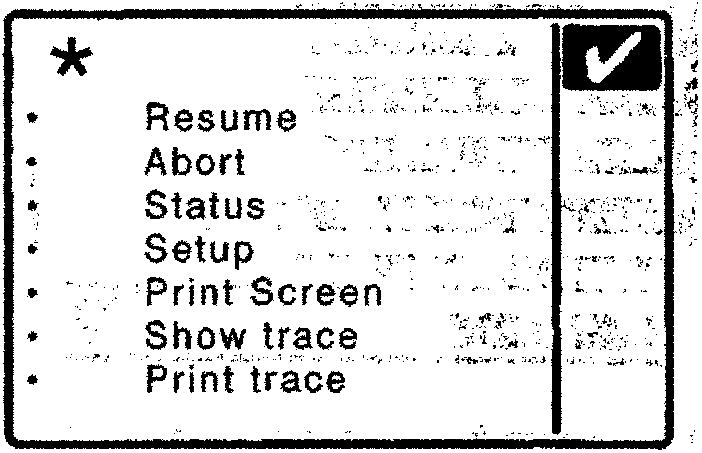
Resume
Return to the screen from which you selected the asterisk icon.
Abort
Return to the PDU Main Menu.
Status
Show the current software level and the application currently loaded.
Print Screen
Send the current screen display to the printer.
Show Trace
Display the current contents of the trace memory on the screen (Use the Down and Up arrows to scroll through the display if more than one screenful).
Print Trace
Send the current contents of the trace memory to the printer.
Parts & tools for this job For 1994 Aston Martin DB7
- TOOLOBD2 scannerSearch: OBD2 scanner
- TOOLDigital multimeterSearch: automotive digital multimeter
- TOOLBack-probe test leadsSearch: back probe test leads
Links open Amazon search results in a new tab. As an Amazon Associate I earn from qualifying purchases.