
Numeric Keypad
- Make
- Aston Martin
- Model
- DB7 Factory Workshop Manual Volume 2: Electrics, Body and Air Conditioning
- Year
- 1994–1998
- Section
- Operating instructions › Numeric Keypad
The PDU will then check the cable connections. Until all connections are correct, the PDU will not allow progression beyond this screen. Pressing the ‘asterisk’ icon and selecting abort returns the operator to the general screen if an incorrect system has been chosen.
If selection and wiring are correct a numeric keypad will be displayed. The operator can now enter a pin number to be tested, using this keypad.
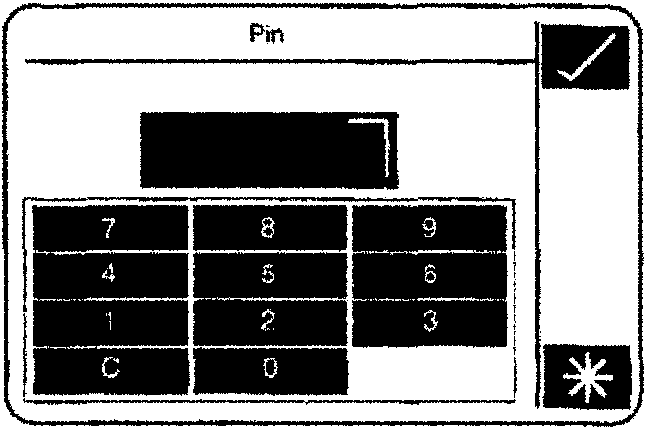
Numeric Keypad
Display Freezing
To assist the operator a “HOLD/UPDATE” option is displayed on the general screen. This option is selected as default on the general screen and allows a reading to be ‘frozen’ on screen when the ‘tick’ icon is pressed. A ‘tick’ button is also incorporated into the red probe so that a remote ‘freeze’ command can be sent to PDU, holding the reading until the operator can view the screen. A frozen value is displayed on a ‘grey’ background indicating that the value is on HOLD. Re-pressing the ‘tick’ icon (either local or remote) unfreezes the display and restores the normal display background.
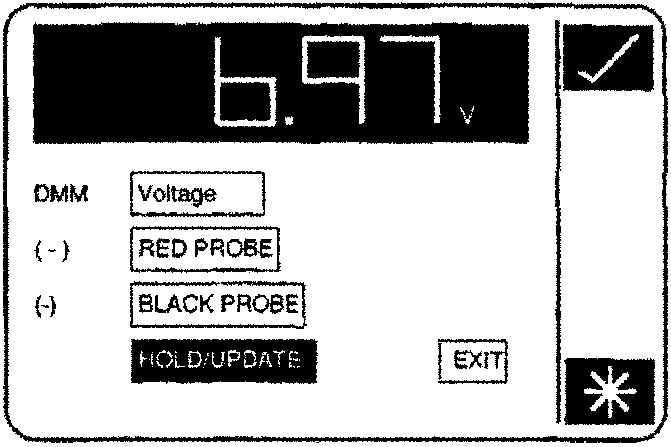
The “HOLD/UPDATE” option operates on one touch of the ‘tick’ icon (or ‘tick’ button) irrespective of the state of the screen backlight. Therefore it is not necessary to reinstate the screen backlight if there has been no operator contact with the PDU for five minutes (or longer). Pressing “HOLD/UPDATE” reinstates the backlight and initiates/releases display ‘freeze’ automatically.
System Exit
At any point during DMM operation it is possible to exit the system by either pressing the ‘asterisk’ icon and selecting abort, or pressing “EXIT” (where available) followed by a confirming ‘tick’.
Parts & tools for this job For 1994 Aston Martin DB7
- TOOLOBD2 scannerSearch: OBD2 scanner
- TOOLDigital multimeterSearch: automotive digital multimeter
- TOOLBack-probe test leadsSearch: back probe test leads
Links open Amazon search results in a new tab. As an Amazon Associate I earn from qualifying purchases.