
Split Cursor Icon
- Make
- Aston Martin
- Model
- DB7 Factory Workshop Manual Volume 2: Electrics, Body and Air Conditioning
- Year
- 1994–1998
- Section
- Operating instructions › Split Cursor Icon
Split Cursor Icon
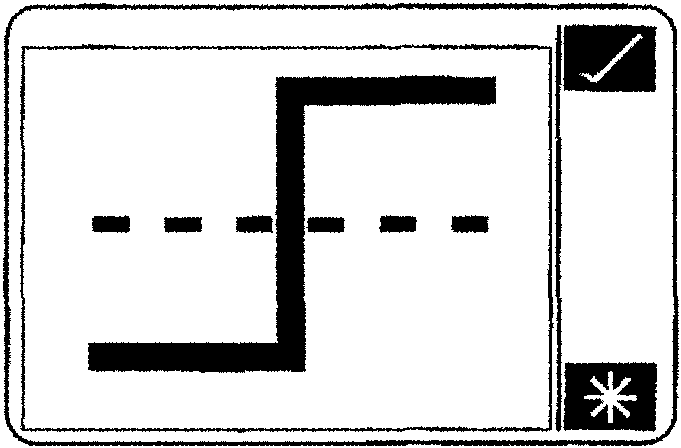
The split cursor icon splits the vertical cursor into two parts.

One permanent static cursor represented by a solid vertical line in the waveform display, and one moveable cursor represented by a dotted vertical line, this is moved by applying finger pressure to the screen in the position the cursor is required.
The digital display of the waveforms will now represent the difference in levels between the two cursors and not the absolute signal level as detailed earlier.
Re-scale Vertical Icon

Normally all of the waveforms are displayed with the vertical axis representing the maximum possible variation of the signal, e.g. battery voltage 0 to 16 V.
The re-scale icon causes the waveform to scale such that the recorded variation determines the scale, this normally enlarges the vertical scale.
The scaling operation can be performed on any of the displayed waveforms by highlighting the parameter name prior to the operation.
Once auto-scaling has taken place, further manual scaling may be achieved by using the '+' and '-' system icons.
Waveform Display Number

This icon enables control of the number of waveforms displayed on the screen at any one time.
Pressing this icon causes the '+' and '-' system icons to appear. Using these system icons increase or decrease the number of displayed waveforms.
It should be noted that the more waveforms displayed the poorer the detail becomes, therefore the number of displayed waveforms should be kept to a minimum.
Horizontal Scale
This icon performs the same function as the re-scale vertical icon only for the horizontal axis.
By expanding the scale more detail will be available, thus proving easier to analyse. However the amount of time displayed on any one screen will be reduced.
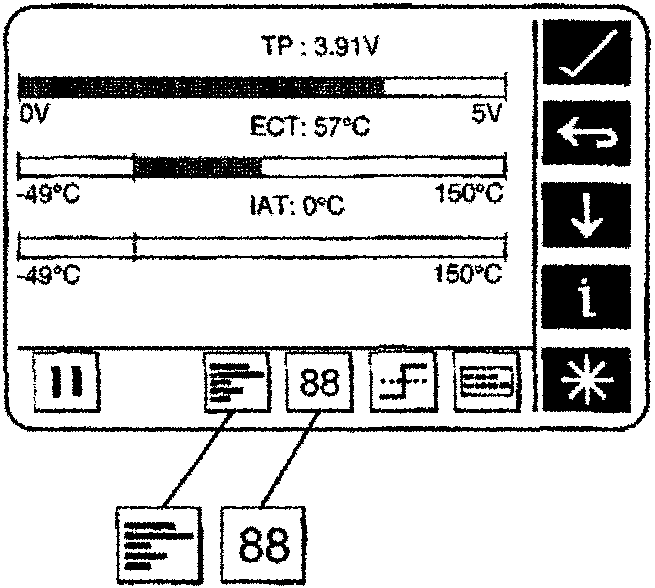
Bargraph / Digital display
Bargraph / Digital display provides another format in which to display recorded data.
The DataLogger icons operate similar to those used in the waveform display. However one new icon is provided as a toggle option from bargraph to digital display.
On-Road Trigger
When on-road trigger is selected using the motorway icon from the main menu a symbol is displayed over the entire screen display area.
This option is intended for use during on-road tests to ensure that the PDU screen does not distract the driver.
Press the record icon to start capturing data, a trigger icon will replace the record icon.
Datalogger Trigger Icon
Press the trigger icon to instigate the manual trigger.
Once the trigger procedure has occurred, a stop icon will replace the trigger icon. Press the stop icon to stop capturing data.
Parts & tools for this job For 1994 Aston Martin DB7
- TOOLOBD2 scannerSearch: OBD2 scanner
- TOOLDigital multimeterSearch: automotive digital multimeter
- TOOLBack-probe test leadsSearch: back probe test leads
Links open Amazon search results in a new tab. As an Amazon Associate I earn from qualifying purchases.