
Diagnostic Trouble Codes
- Make
- Aston Martin
- Model
- DB7 Factory Workshop Manual Volume 2: Electrics, Body and Air Conditioning
- Year
- 1994–1998
- Section
- Operating instructions › Diagnostic Trouble Codes
Diagnostic Trouble Codes
Introduction
The ‘Diagnostic trouble codes’ application enables the PDU to monitor the trouble codes logged in selected control module’s and provides the following functions:
- Decode and display any trouble codes logged by the control module(s) being monitored.
- Decode and display enhanced diagnostic information, together with any count of the number of occurrences, when supported by the control module(s).
- Clear some or all of all these trouble codes selected by the user on the PDU screen, when supported by the control module(s).
Diagnostic Trouble Codes are logged by the Engine Management and by the Automatic Transmission control units and can be accessed using the PDU. Logged codes in the 95 MY Teves Mk II ABS controller can only be accessed using the brake warning light. The Air Conditioning control unit does not log trouble codes.
Operation
From the Main Menu make the following selections:
- Select Diagnostics
- Select Engine or Transmission
- The system will then load the appropriate software
- Select Diagnostic Trouble Codes
- Connect the PDU to the car as shown on the screen diagram
- Select the √ icon to confirm connection
- The PDU will then interrogate the chosen control unit and will display any logged trouble codes.
If no trouble codes have been flagged by the control module, the PDU will display a screen similar to Fig. 15
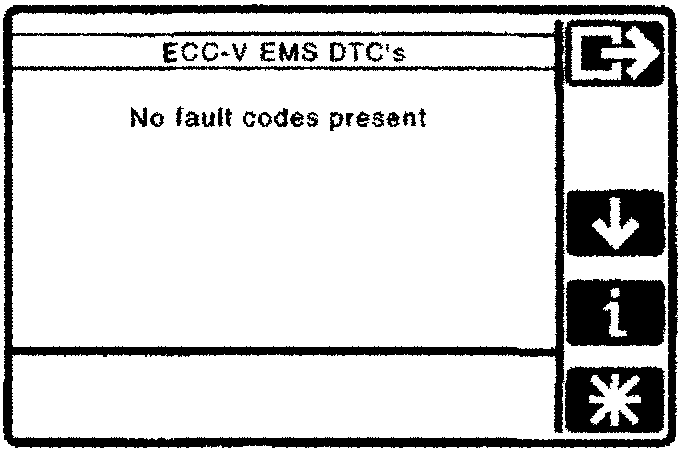
The No Fault Codes screen
Freeze Frame Data
[symbol] As any engine management trouble code is logged, the system takes a snapshot (freeze frame) and records the state of all signals at that time.
On the Zytek engine management system (95 MY), freeze frame data can be displayed by selecting a logged trouble code and touching the 'snowflake' icon.
On the 97 MY EEC V engine management system, freeze frame data is accessed using the OBD II scan tool.
‘Clear All’ and ‘Clear Selected Codes’ Icons
[symbol] [symbol]
Note:
There may be more logged diagnostic trouble codes than displayed on the first screen. Use the ‘up arrow’ and ‘down arrow’ icons if necessary to scroll through the total display.
On the Zytek engine management system only,
each trouble code definition will be individually selectable to invoke the clear trouble codes screen. If one or more trouble codes are selected, the clear all and clear selected trouble code icons will be displayed.
On all other systems,
only the ‘Clear All’ function is available.
Parts & tools for this job For 1994 Aston Martin DB7
- TOOLOBD2 scannerSearch: OBD2 scanner
- TOOLDigital multimeterSearch: automotive digital multimeter
- TOOLBack-probe test leadsSearch: back probe test leads
Links open Amazon search results in a new tab. As an Amazon Associate I earn from qualifying purchases.