
Datalogger Example (page 2 of 3)
- Make
- Aston Martin
- Model
- DB7 Factory Workshop Manual Volume 2: Electrics, Body and Air Conditioning
- Year
- 1994–1998
- Section
- Operating instructions
The screen was scrolled down until ‘RRW<133’ was displayed.
The rectangle below the play icon on row ‘RRW<133’ was selected.
The rectangle below the eye icon in row ‘RRW<133’ was selected.
- The ‘re-order’ icon was then selected; this places the record enabled parameters at the top of the parameter list in numerical order.
The ‘ABSWL’ parameter was then selected and the trigger switched on by touching the rectangle in the ABSWL line below the trigger symbol.
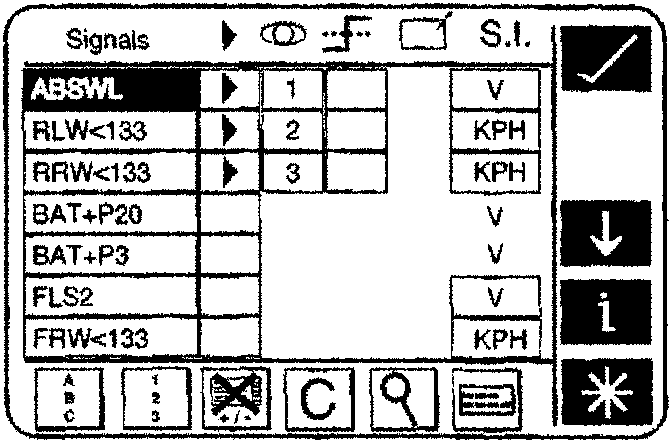
ABS Warning Light selection
The magnifying-glass type icon was then selected to lead to the trigger customization screen.
The ‘falling-edge’ trigger icon was then selected. DataLogger will then trigger from the ABSWL when the signal passes below a specified value.
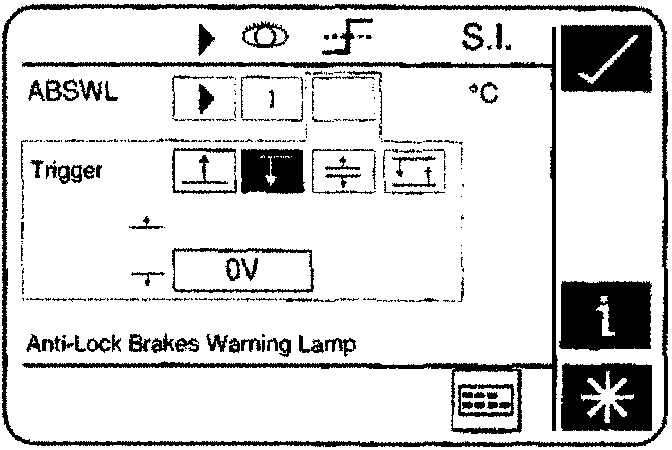
Falling Edge Trigger Icon
The ‘OV’ rectangle was then selected.
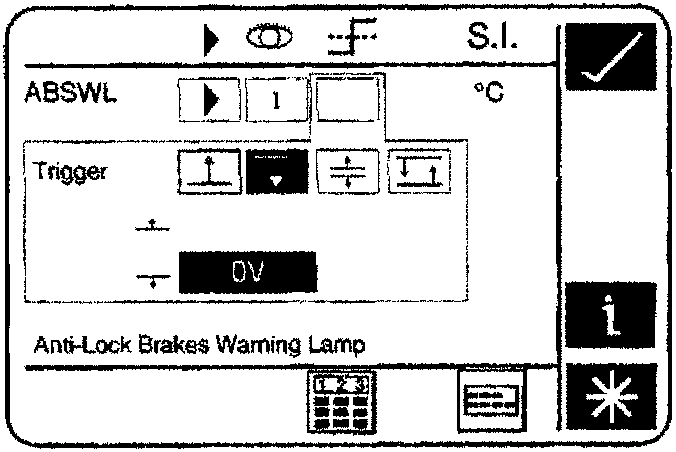
Selection of the 0V trigger point
The calculator-style icon was then selected to alter the trigger value.
Using the calculator-style screen buttons, a threshold value of 6 Volts was entered.
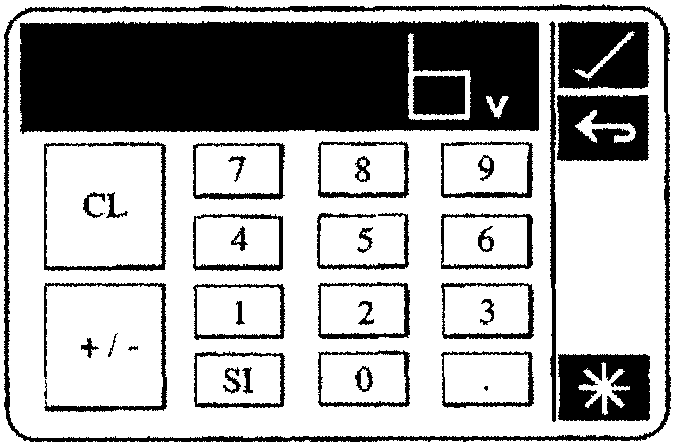
Trigger Point setting to 6V
Parts & tools for this job For 1994 Aston Martin DB7
- TOOLOBD2 scannerSearch: OBD2 scanner
- TOOLDigital multimeterSearch: automotive digital multimeter
- TOOLBack-probe test leadsSearch: back probe test leads
Links open Amazon search results in a new tab. As an Amazon Associate I earn from qualifying purchases.