Workshop Manuals Factory service & repair Rover
01 Information02 General data03 Engine04 Engine management system – PGM-Fi05 Cooling system, manifold and exhaust06 Clutch07 Manual gearbox08 Automatic gearbox09 Drive shafts10 Differential – manual gearbox11 Differential – automatic gearbox12 Steering13 Suspension14 Brakes and ABS15 Brakes – ABS BY416 Body17 Heating and ventilation18 Electrical19 Supplementary restraint system (SRS)
Rover Rover 600 Repair Manual - Volumes 1 and 2 - 2nd Edition16 · Body
16 · Body & interior

Original page

Make
Rover
Model
600 Rover 600 Repair Manual - Volumes 1 and 2 - 2nd Edition
Section
Interior fittings › Original page
BodyOriginal page
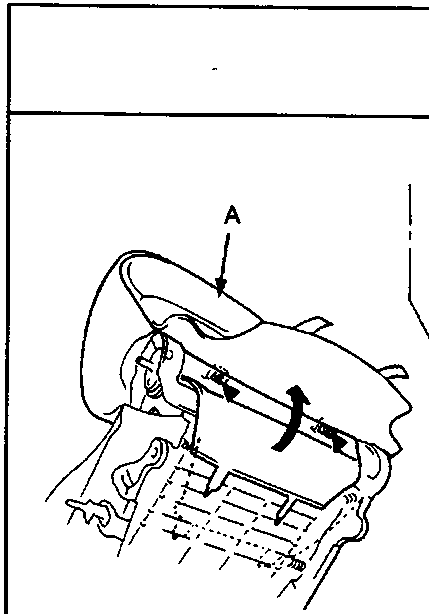
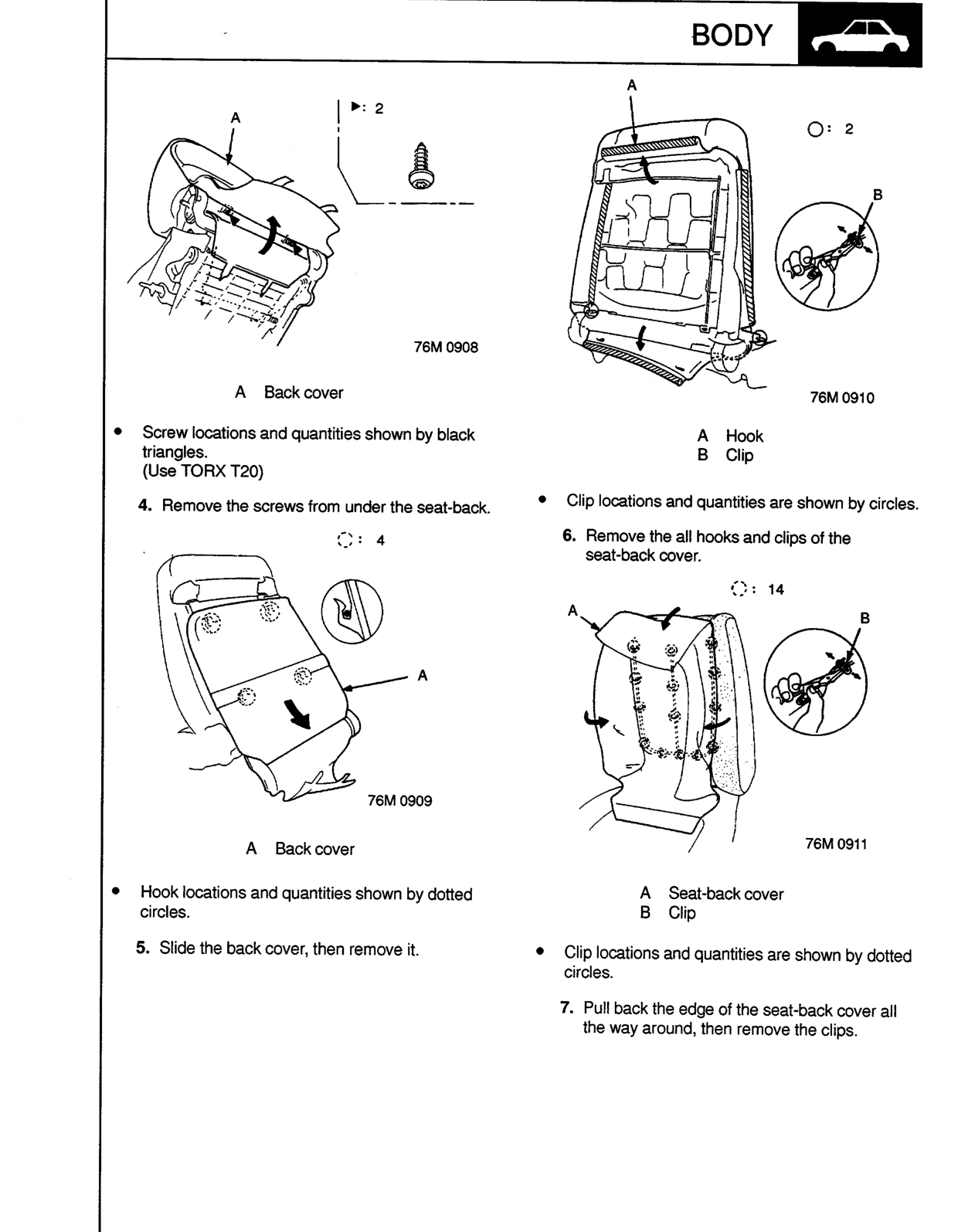
Diagram showing the top of a seat-back with label A pointing to the back cover and callout 2 indicating screw locations. Figure number 76M 0908.

A Back cover

  • Screw locations and quantities shown by black triangles.
    (Use TORX T20)
  1. Remove the screws from under the seat-back.
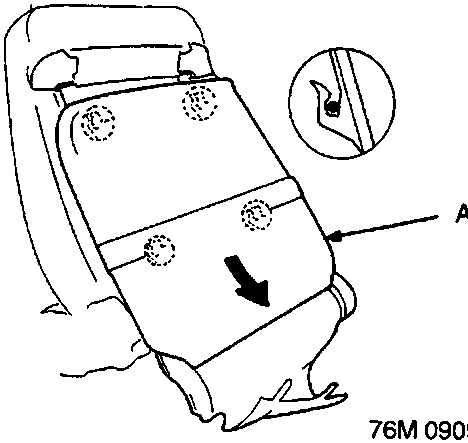
Diagram showing the seat-back with label A pointing to the back cover, four dotted circles indicating hook locations, and a circular inset detail. Figure number 76M 0909.

A Back cover

  • Hook locations and quantities shown by dotted circles.
  1. Slide the back cover, then remove it.
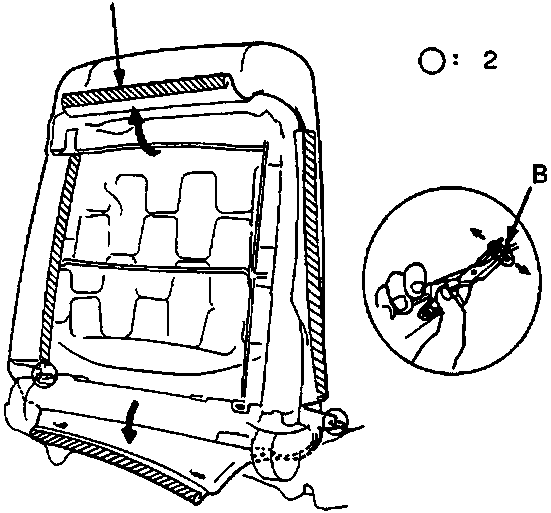
Diagram showing the rear of a seat-back with label A pointing to a hook, two circles indicating clip locations, and a circular inset detail showing a clip being removed. Figure number 76M 0910.

A Hook
B Clip

  • Clip locations and quantities are shown by circles.
  1. Remove the all hooks and clips of the seat-back cover.
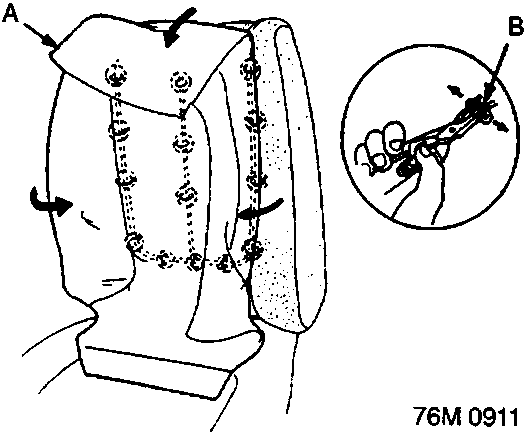
Diagram showing the seat-back cover being pulled away, with label A on the cover, label B on a clip, fourteen dotted circles indicating clip locations, and a circular inset detail. Figure number 76M 0911.

A Seat-back cover
B Clip

  • Clip locations and quantities are shown by dotted circles.
  1. Pull back the edge of the seat-back cover all the way around, then remove the clips.

Original page
Parts & tools for this job For Rover 600

Links open Amazon search results in a new tab. As an Amazon Associate I earn from qualifying purchases.