
Adhesive tape residue removal (page 2 of 2)
- Make
- Rover
- Model
- 600 Rover 600 Repair Manual - Volumes 1 and 2 - 2nd Edition
- Section
- Exterior fittings
BodyAdhesive tape residue removal · page 2 of 2
- Peel off the protective tape, then clean the bonding surface with a sponge dampened in alcohol.
Note: Make sure the bonding surface is kept free of water, oil and grease.
- Remove the clips from the moulding.
Note: If necessary, replace any damaged clips.
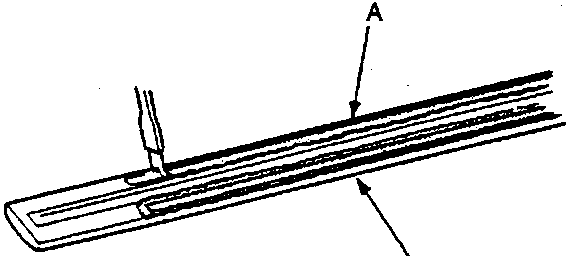
A Stripe remover
B Door moulding
- Apply the stripe remover evenly to the bonding surface of the moulding.
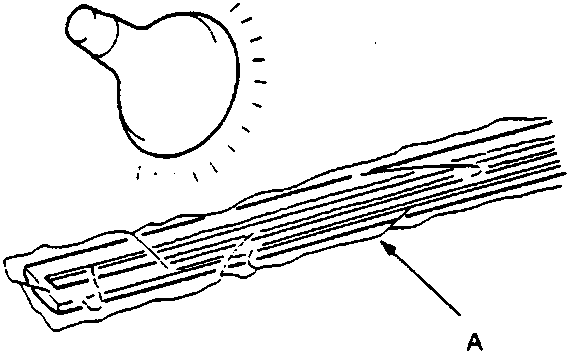
A Film
- Wrap the moulding with film, then heat to 40–50°C (104–122°F) for 5–10 minutes with a infrared dryer.
Note: Use care when heating to prevent deformation of the moulding.
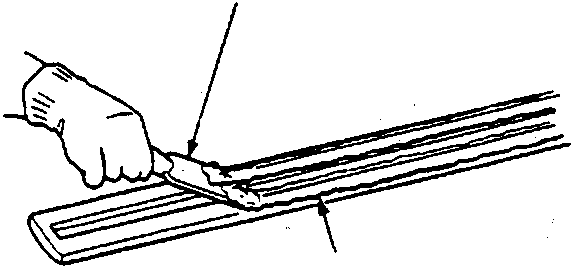
A Putty knife
B Adhesive tape
- Scrape the adhesive tape with a putty knife.
- For removal of adhesive tape residue, follow-up with stripe adhesive remover, then scrape the adhesive tape with a putty knife.
- Peel off the protective tape, then clean the moulding with a sponge dampened in alcohol.
Note: Make sure the bonding surface is kept free of water, oil and grease.
Parts & tools for this job For Rover 600
- TOOLTrim removal tool kitSearch: trim removal tool kit
- PARTTouch-up paintSearch: Rover touch up paint
- PARTPanel clip assortmentSearch: Rover panel clips assortment
Links open Amazon search results in a new tab. As an Amazon Associate I earn from qualifying purchases.