
Sticking Antenna
- Make
- Rover
- Model
- 600 Rover 600 Repair Manual - Volumes 1 and 2 - 2nd Edition
- Section
- Repairs › Sticking Antenna
ElectricalSticking Antenna
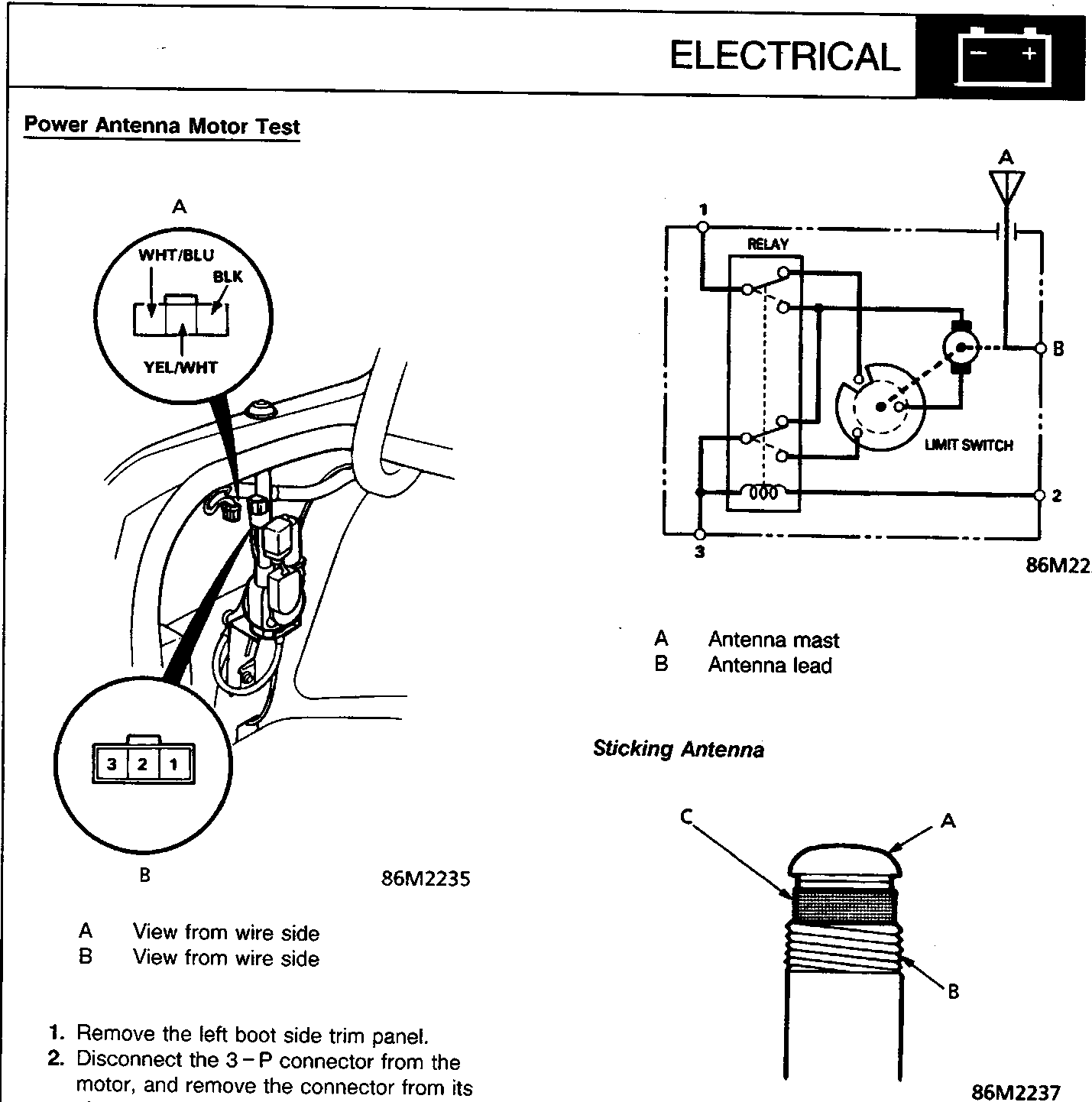
A View from wire side
B View from wire side
- Remove the left boot side trim panel.
- Disconnect the 3 – P connector from the motor, and remove the connector from its clamp.
- First, check power to the motor at the connector terminals: There should be battery voltage between the WHT/BLU (+) and BLK (-) terminals all the time. There should be battery voltage between the YEL/WHT (+) and BLK (-) terminals only with the ignition and radio switched ON.
- Test the motor
| FULL EXTEND | Connect battery power to the No.1 and No. 2 terminals and earth to the No. 3 terminal |
| RETRACT | Then disconnect power from the No. terminal. |
- If the motor does not run or fails to run smoothly, replace it.
Sticking Antenna
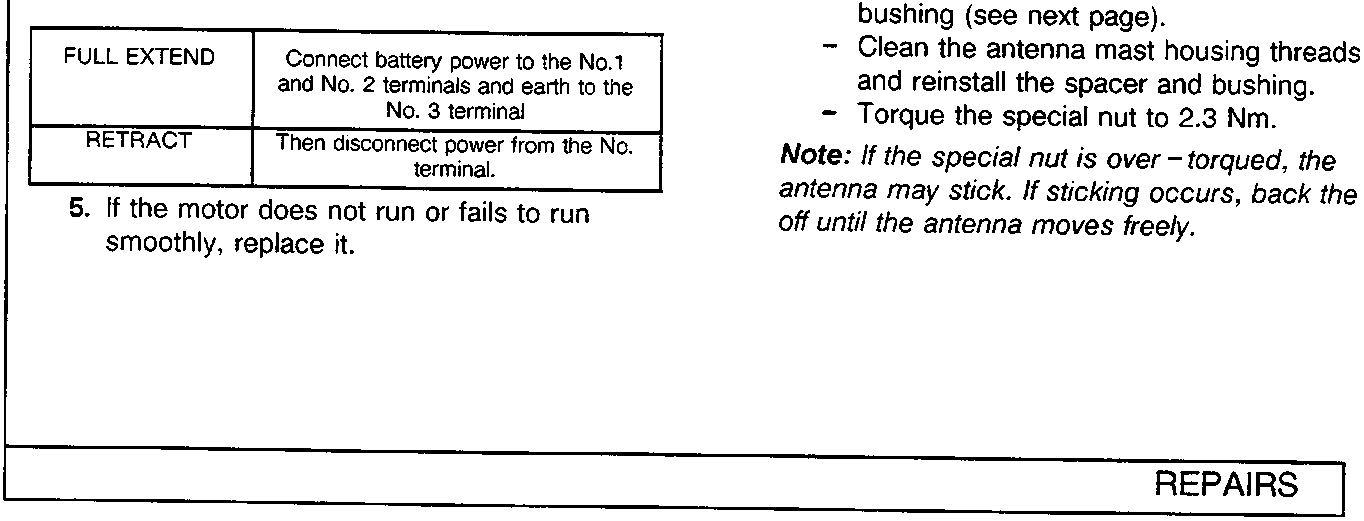
A Antenna mast
B Clean mast housing threads
C Plastic sleeve
- If the antenna sticks in either the up or down position:
- Remove the special nut, spacer, and bushing (see next page).
- Clean the antenna mast housing threads and reinstall the spacer and bushing.
- Torque the special nut to 2.3 Nm.
Note: If the special nut is over - torqued, the antenna may stick. If sticking occurs, back the nut off until the antenna moves freely.
Parts & tools for this job For Rover 600
- TOOLDigital multimeterSearch: automotive digital multimeter
- PARTAssorted fuse kitSearch: car fuse assortment kit
- TOOLWire crimper and connector kitSearch: wire crimper connector kit
Links open Amazon search results in a new tab. As an Amazon Associate I earn from qualifying purchases.