
Actuator cable adjustment (page 3 of 3)
- Make
- Rover
- Model
- 600 Rover 600 Repair Manual - Volumes 1 and 2 - 2nd Edition
- Section
- Repairs
ElectricalActuator cable adjustment · page 3 of 3
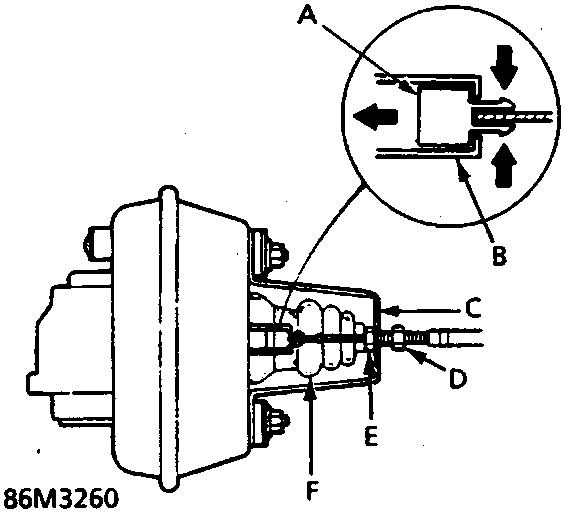
- Pull boot back and loosen locknut, then disconnect cable from bracket.
- Disconnect cable end from actuator rod.
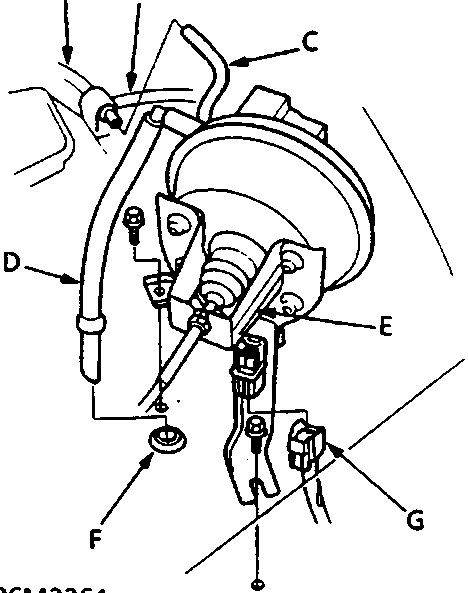
- Release multiplug from bracket and disconnect 4 – P connector.
- Slacken bolt securing support bracket.
- Remove bolt retaining bracket to panel.
- Disconnect 2 vacuum hoses and vent hose.
- Remove actuator assembly.
Do not carry out further dismantling if component is removed for access only
- Remove 4 nuts with washers securing mounting bracket to actuator.
- Remove mounting bracket, check condition of 4 rubber bushes.
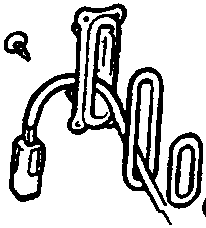
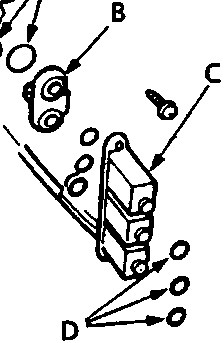
- Remove filters, solenoid valves and 'O' rings, renew as necessary. Use new 'O' rings.
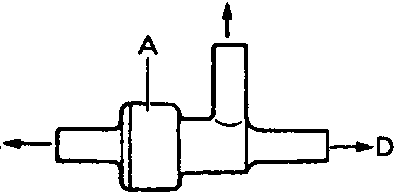
- Renew check valve if necessary.
- Install in reverse order, insure hoses are fitted correctly.
- Adjust free play at actuator rod after connecting the cable.
Parts & tools for this job For Rover 600
- TOOLDigital multimeterSearch: automotive digital multimeter
- PARTAssorted fuse kitSearch: car fuse assortment kit
- TOOLWire crimper and connector kitSearch: wire crimper connector kit
Links open Amazon search results in a new tab. As an Amazon Associate I earn from qualifying purchases.