
Circuit Diagram (page 3 of 3)
- Make
- Rover
- Model
- 600 Rover 600 Repair Manual - Volumes 1 and 2 - 2nd Edition
- Section
- Repairs
ElectricalCircuit Diagram · page 3 of 3
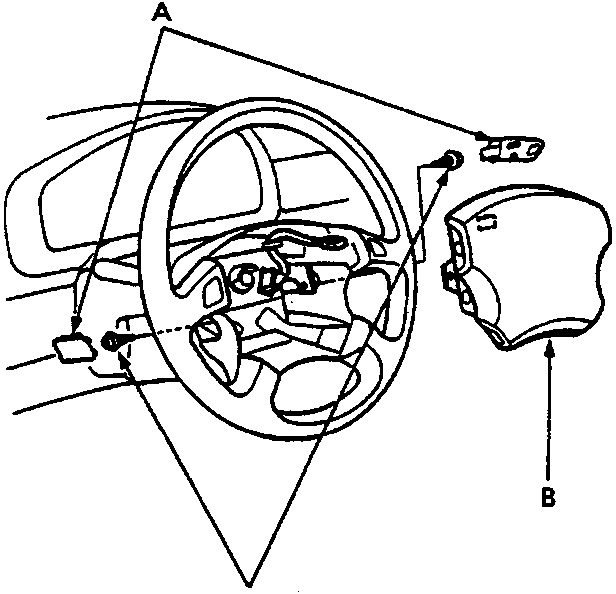
A Access panels
B Airbag assembly
C Torx bolts
- Remove the access panels from the steering wheel.
- Remove the two TORX bolts using a TORX T30 bit, then remove the airbag assembly.
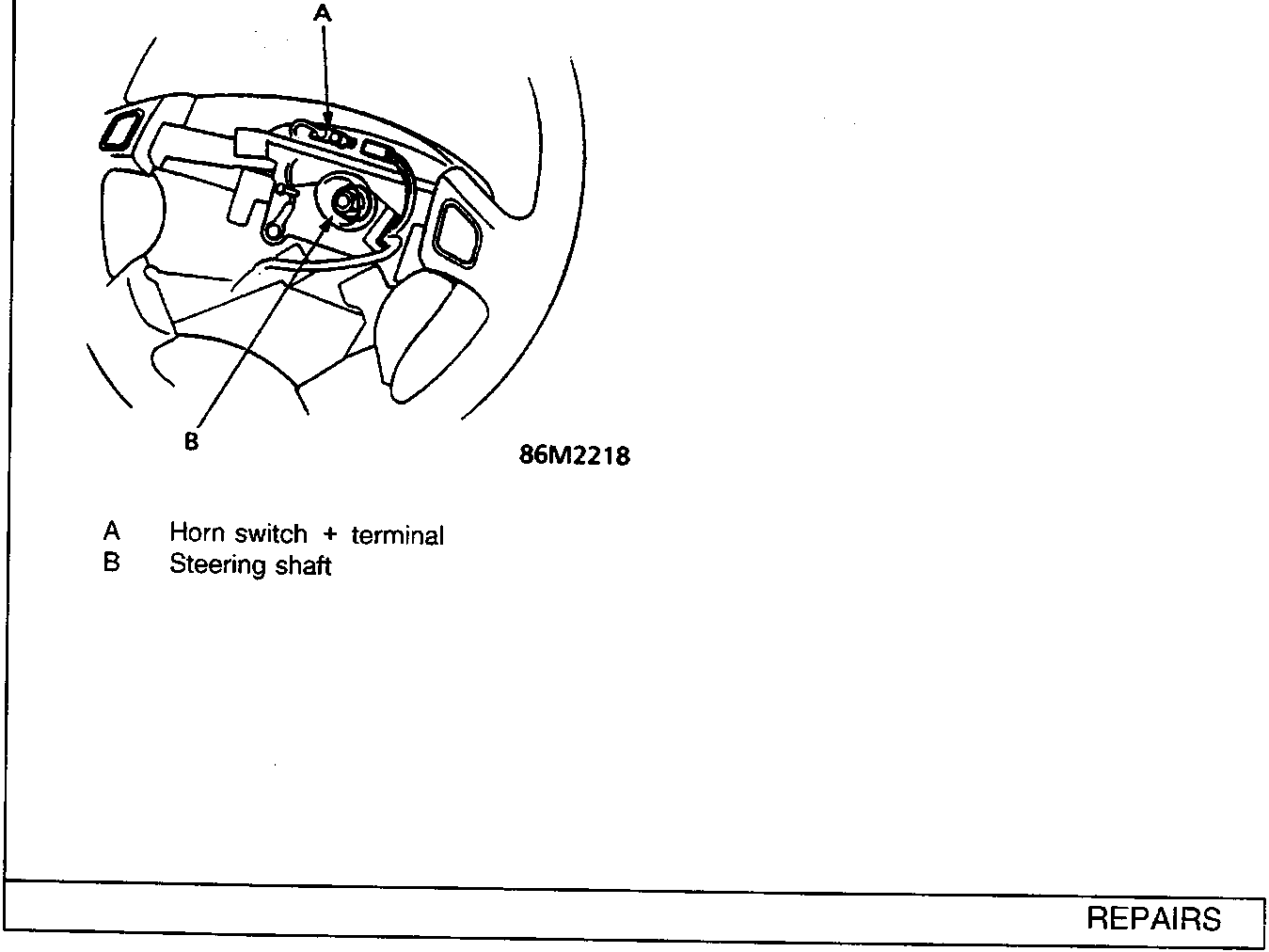
A Horn switch + terminal
B Steering shaft
- Check for continuity between the horn switch positive terminal and the steering shaft with the horn button pushed.
- If there is continuity, check for:
- a faulty slip ring.
- a bent, loose or corroded terminal, or an open in the BLU/RED wire between the SRS sub harness.
- If there is no continuity, repair or replace the horn switch.
- Install the steering wheel, see STEERING.
- After installing, make sure that the horn switch and SRS system work correctly.
Parts & tools for this job For Rover 600
- TOOLDigital multimeterSearch: automotive digital multimeter
- PARTAssorted fuse kitSearch: car fuse assortment kit
- TOOLWire crimper and connector kitSearch: wire crimper connector kit
Links open Amazon search results in a new tab. As an Amazon Associate I earn from qualifying purchases.