
Replacement (page 5 of 5)
- Make
- Rover
- Model
- 600 Rover 600 Repair Manual - Volumes 1 and 2 - 2nd Edition
- Section
- Repairs
ElectricalReplacement · page 5 of 5
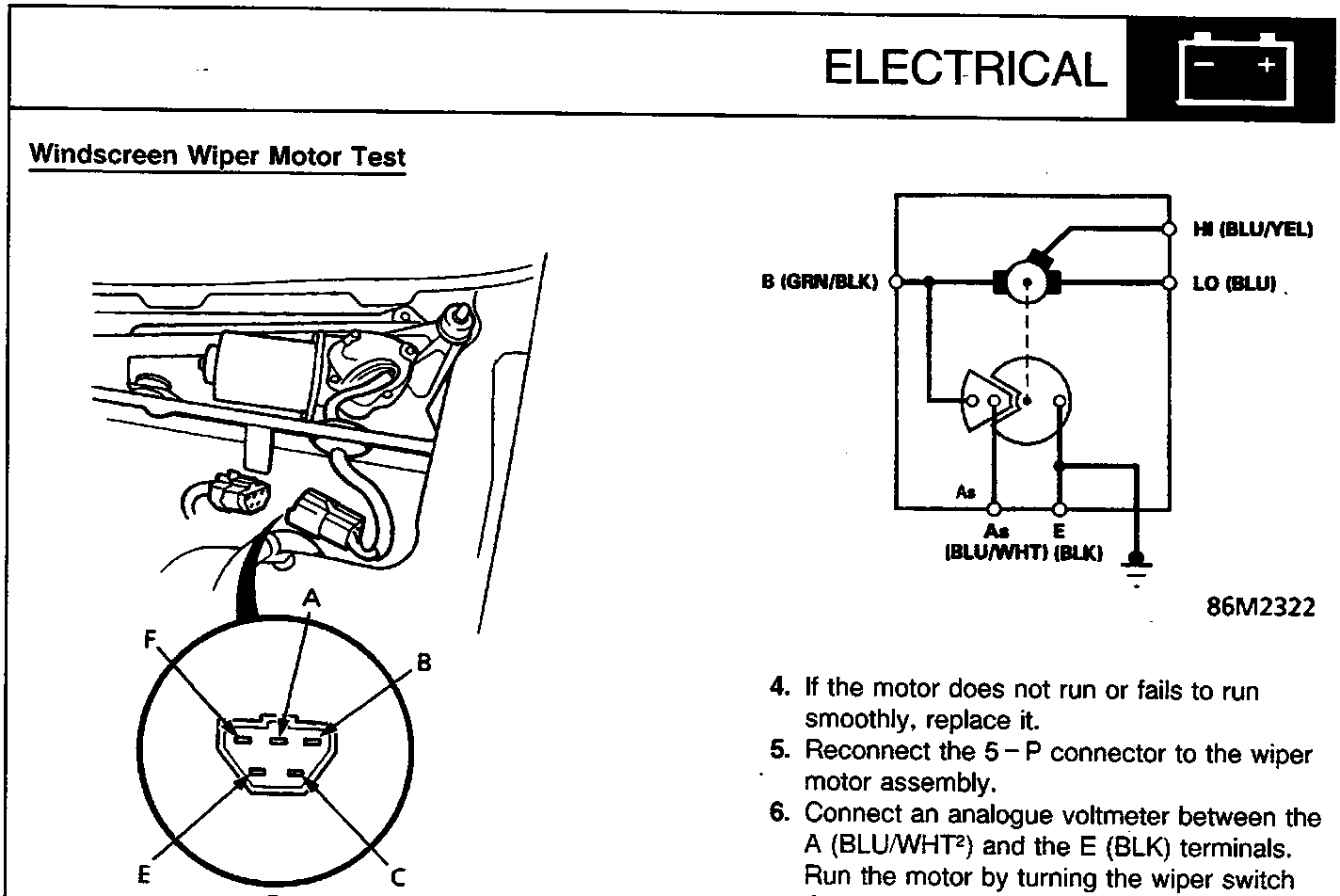
A LO (BLU)
B E (BLK)
C As (BLU/WHT)
D View from terminal side
E B (GRN/BLK)
F HI (BLU/YEL)
- Open the bonnet and remove the cap nuts and the wiper arms.
Note: Remove the wiper arms carefully without damaging the bonnet.
- Disconnect the 5 – P connector from the wiper motor assembly.
| Position | Terminal | ||
|---|---|---|---|
| B (GRN/BLK) |
LO (BLU) |
HI (BLU/YEL) |
|
| LOW | + | – | |
| HIGH | + | – | |
- Test the motor.
- If the motor does not run or fails to run smoothly, replace it.
- Reconnect the 5 – P connector to the wiper motor assembly.
- Connect an analogue voltmeter between the A (BLU/WHT²) and the E (BLK) terminals. Run the motor by turning the wiper switch ON (LO or HI position). The voltmeter should alternately indicate 0 V and more than 4 V.
Note: Use an analogue ohmmeter.
Parts & tools for this job For Rover 600
- TOOLDigital multimeterSearch: automotive digital multimeter
- PARTAssorted fuse kitSearch: car fuse assortment kit
- TOOLWire crimper and connector kitSearch: wire crimper connector kit
Links open Amazon search results in a new tab. As an Amazon Associate I earn from qualifying purchases.